
What Are the 10 Best Kahoot Alternatives in 2026?
Ten Kahoot alternatives compared on price, player caps, and learning depth, every vendor number re-checked on September 2, 2026. Full results inside.

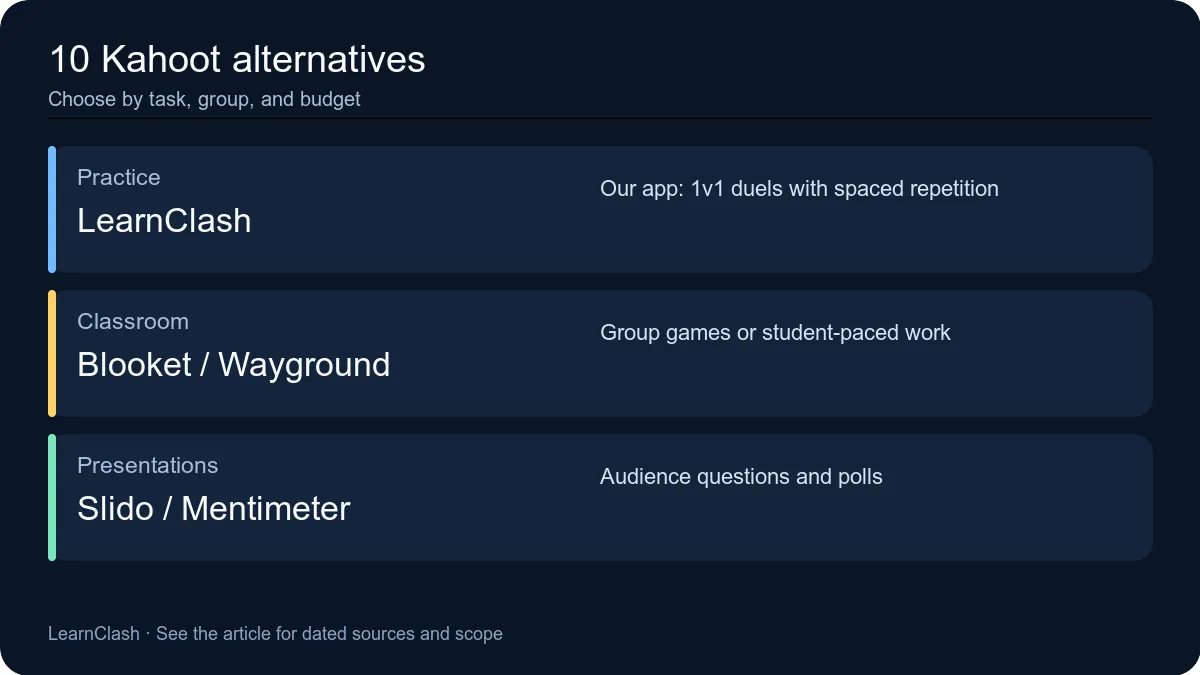
Kahoot’s personal free plan caps quiz sessions at 10 players. A 93-study review in Computers & Education found that scoring on answer speed reduces reflection and can “cause some students to guess without thinking.” And the most-used alternative changed its name: Quizizz has been Wayground since June 2025.
Those three facts explain most of the searching for Kahoot alternatives. This page compares the ten tools worth considering in 2026 on the numbers that decide most choices: pricing and billing, free-tier limits, learning science, and ads. Two things before the list.
First, I re-checked every price, cap, and quoted phrase below against the vendors’ own pricing pages and help centers on September 2, 2026 (how we test). Four weeks after the previous sweep, three vendors had moved again: Kahoot’s school plans page now files the 40-player free teacher tier under the Kahoot Go name, Wayground’s plan comparison lists a 100-student row on the free plan again, and Genially’s education ladder is euro-priced with a new Genius tier. A second pass on October 15, 2026, found six figures that had moved again, and those now carry the October date. Blooket’s pricing pages block non-browser reads, so its prices carry the last date I could actually see them; its help center, like Kahoot’s, still answers through its public help-center API. Dates matter. A comparison article with undated numbers is fiction with a table in it.
Second, the first app on the list is ours. I build LearnClash. Treat entry #1 as a founder’s pitch with checkable numbers, not an independent verdict. The other nine entries are still our editorial comparisons, and I will say plainly where they beat us. If you would rather judge apps like Kahoot on what happens after the answer, jump to the game-loop cut. If you want to feel the difference first, start a general knowledge duel and compare notes after the score screen.
Which Kahoot Alternative Fits Which Job? All 10 at a Glance
The ten apps fall into three camps: competitive learning apps, classroom game platforms, and live presentation tools. LearnClash uses a personal spaced-repetition queue; several classroom tools also support later homework and practice. The first table shows the two numbers that decide most choices, what the free tier really allows and what the first paid tier costs. It also names the one job each tool does best. The second table re-sorts the field by game loop for people who search for games like Kahoot rather than pricing pages.
| App | Free tier cap | Learning science | Starting price (2026) | Best for |
|---|---|---|---|---|
| 1. LearnClash (our app) | Free duels (fair-use limits) | ELO rating + spaced repetition | Free; Premium $7.99/mo | Knowledge that sticks |
| 2. Blooket | 60 players | None | $4.99/mo (annual) | In-classroom game variety |
| 3. Gimkit | Featured modes full class / Pro modes 5 | None | $59.88/yr | Strategy power-up games |
| 4. Wayground (Quizizz) | 100 students; 20 stored resources | Adaptive (paid) | $12/mo (annual, July check) | Self-paced homework quizzes |
| 5. Mentimeter | 50 participants/month | None | $14/mo (annual, Oct 15 read from Mexico) | Live presentation polls |
| 6. AhaSlides | 50 participants/presentation | None | $7.95/mo (annual) | Budget-friendly presentations |
| 7. Nearpod | 40 students | None | Gold $159/yr | Interactive lessons |
| 8. Genially | 2 GB, 500 AI credits, 50 live participants | None | Edu Pro 4.99/mo (euro-priced, annual) | Custom branded quizzes |
| 9. Slido | 3 polls + 1 quiz per event, unlimited Q&A | None | Engage $7/mo (edu, annual, August check) | Corporate meetings + Q&A |
| 10. Socrative | 50 students, 5 quizzes, 1 room | None | Essentials $10/mo (annual) | Quick formative assessment |
| Kahoot (baseline) | 10 personal / 40 school | None | Bronze $3/mo (annual) | Brand familiarity |
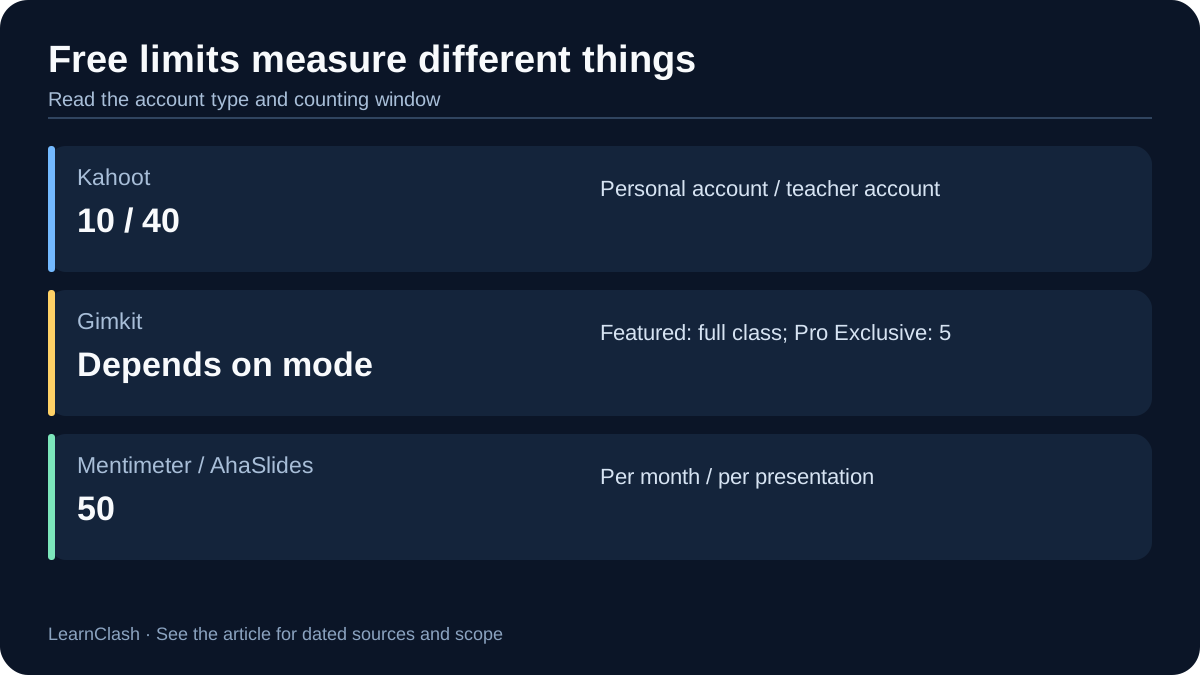
Check the account type before comparing free limits: Kahoot allows 10 personal players or 40 teachers’ participants. The advertised paid prices use annual billing, which the next section takes apart.
The best games like Kahoot match the game loop. Not the purple quiz screen. The loop is what the game does after a player answers, whether that is a one-time scoreboard, a strategy economy, a homework report, or a memory schedule that keeps working after the bell. Use this cut when the feeling a game leaves behind matters more than a pricing table.
| Game | Game loop after the answer | Free limit | Where it beats Kahoot |
|---|---|---|---|
| LearnClash (our app) | 1v1 ranked duel + spaced repetition | Free duels (fair-use limits) | Learning continues after play |
| Blooket | Arcade classroom modes | 60 players | Bigger free classroom games |
| Gimkit | Strategy currency and upgrades | Featured modes free | Answers buy power-ups |
| Wayground | Live + self-paced homework | 100 students; 20 stored resources | Better student-paced work |
| Quizalize | Mastery dashboard + browser games | 20 students, 1 class, 5 saved quizzes | Standards tracking |
| Baamboozle | Whole-class one-screen team board | Free Basic | No student devices needed |
| Wordwall | Template mini-games | 3 activities, 12 templates | Fast activity remixing |
| Quizlet Live | Team vocabulary race | Quizlet account | Vocabulary collaboration |
Searchers usually split by job. People hunting for websites like Kahoot or online quiz games like Kahoot usually mean solo or async play in a browser: Wayground and Socrative work in a browser without a projector. LearnClash is an iOS and Android app; Quizlet Live is designed for a live group. People hunting for free games like Kahoot or classroom games like Kahoot usually mean a live in-person room. Blooket, Baamboozle, Wordwall, and Nearpod solve the physical constraints, meaning devices, Wi-Fi, and one screen. Whether any of them is better than Kahoot depends on which of those jobs you are hiring for: the closest thing to a free Kahoot alternative for a full class is Blooket, and for learning that outlasts the session it is LearnClash. One room, one job.
Four entries in the second table rarely make pricing-first roundups yet matter for specific rooms:
- Quizalize attaches browser games (Blockerzz, Goalzz, Hoopzz, and the newer Battlerzz) to a standards-based mastery dashboard. The free tier is 20 students, 1 class, 5 saved quizzes, multiple-choice only, the plain leaderboard mode, and 3 AI-generated quizzes a month. That is enough to test whether the mastery data helps you defend the activity as more than Friday fun.
- Baamboozle runs whole-class team play from a single screen (“Play from one screen, no devices needed” is its own homepage line), so it is the pick when students have no devices or half the tablets are dead. Its Plus plan runs $4.99 a month paid yearly or $7.99 month to month.
- Wordwall is a template machine: build one activity, then switch templates with a click. The free tier covers 3 activities across 12 core templates (Quiz, Match Up, Spin the Wheel) and locks the 22 arcade-style ones like Maze Chase and Whack-a-Mole behind Pro.
- Quizlet Live, which Quizlet’s help center now files under “Classic Quizlet Live,” turns a flashcard set into a collaborative team vocabulary race and needs four or more players.
The useful question is what should happen after the answer: a classroom report, homework, another game, or a personal review queue. Those are different learning tasks.
Why Teachers Are Leaving Kahoot in 2026
When comparing Kahoot alternatives, check three things: whether the free account covers your class, how the chosen experience scores answers, and whether the quoted price requires annual billing. LearnClash and the nine other tools below offer different answers to those questions.
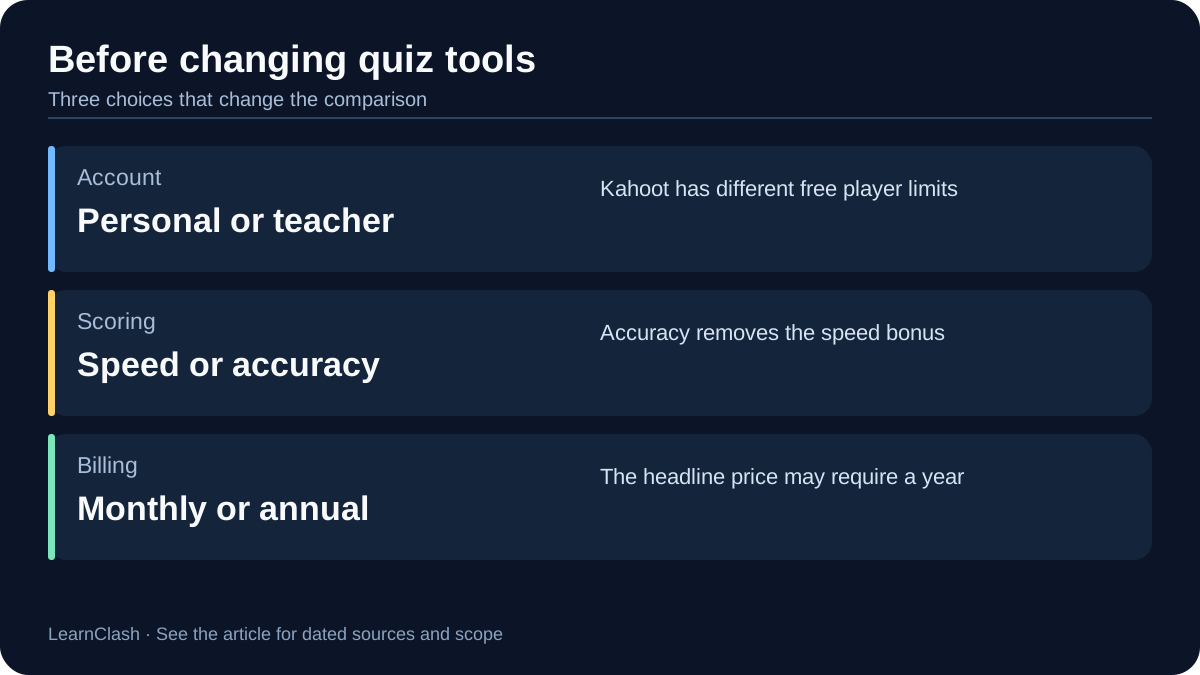
The first pain point is the 10-player cap. Kahoot’s personal free plan, branded Kahoot Go, supports 10 people per game on the home plans page. The free teacher tier raises the limit to 40. And here Kahoot’s own pages disagree with each other as of September 2, 2026. The school plans page shows a free Kahoot Go card with 40 participants. The FAQ further down the same page still lists “Go: Up to 10 participants per game” and “Teacher essentials: 40 participants per game.” Read it as one free tier with two caps: 10 for a personal account, 40 for a verified teacher account. A 30-student class fits the free teacher limit but exceeds the personal one. Check the account category before paying for a larger cap.
The second pain point is speed-click learning. The 93-study literature review in Computers & Education lists the problem among the challenges teachers reported, in exactly these words: “scoring based on how quickly the students answer reducing student reflection and cause some students to guess without thinking.” Mission.io puts it more bluntly: “When points are tied to speed, students optimize for speed.” In fairness, Kahoot has heard this one. Its free plan now includes an “Accuracy experience,” which the plans page describes as “giving every participant the same time to answer and rewarding accuracy, not quick clicks.” The classic speed-scored game is still the default the whole brand is built on. But the option exists, and it costs nothing. A note on the Mission.io quote: until October this page quoted an older line from the same guide about “quick clicks.” Mission.io rewrote the post in September 2026 and that line is gone, so the quote above is its current wording, re-checked on October 15, 2026. A quotation has to match the page it cites.
| Kahoot tier | Advertised (billed annually) | Billed monthly | Player cap |
|---|---|---|---|
| Kahoot Go (free) | $0 | $0 | 10 personal / 40 teacher |
| Kahoot+ Bronze | $3/mo ($36/yr) | $9/mo | 50 |
| Kahoot+ Silver | $7/mo ($84/yr) | $15/mo | 100 |
| Kahoot+ Gold | $12/mo ($144/yr) | $25/mo | 200 |
| Kahoot One | $19/mo ($228/yr) | $34.99/mo | 800 |
The third pain point is price, or more precisely, billing. Kahoot+ Bronze starts at $3 per month, Silver at $7, Gold at $12, and Kahoot One at $19, the tier where the 800-player cap lives. Every one of those is the billed-annually rate. Pay month to month and the same tiers cost $9, $15, $25, and $34.99. All four held on September 2, 2026. The personal plans page now shows Silver, Gold, and One as struck-through $9, $15, and $25 rates marked down to the numbers above, so the “list” price may be a promotion that ends.
Store audit, re-checked September 2, 2026: The $19 tier with the 800-player cap is Kahoot One (that cap was 400 in mid-2025 and 200 in late 2024), and it now bundles the Drops language app. Above it sits a new Kahoot One Ultra “for communities” at $39 per month, shown against a struck-through $49. “Kahoot 360” is the separate business line on kahoot360.com, listing $19 to $79 per host per month for 50 to 5,000 participants, with former list prices up to $99 shown struck through. And Kahoot brands its game modes “experiences,” with availability depending on plan level; the free plan gets the classic live, accuracy, and flashcard experiences, while the game-style ones sit on Silver and up. Older roundups mix all of this up.
Each of the ten picks below solves at least one of these three problems. Some solve all three.
1. LearnClash: The One We Built (Disclosure First)
LearnClash is our app. I am its developer, which is exactly why this entry will not call itself the best Kahoot alternative. What I can do is explain what it does that nothing else on this list does, and tell you when to skip it.
| Kahoot | LearnClash | |
|---|---|---|
| Format | Host-led live quiz | Turn-based 1v1 duel |
| Free cap | 10 players (personal) | Free duels (fair-use limits) |
| Ranking | Points per game | ELO rating, 8 tiers (Iron → Phoenix) |
| Spaced repetition | None | In every mode |
| Any-topic questions | Host must create | Yes, any subject |
| Ads on free tier | Upsell prompts | None |
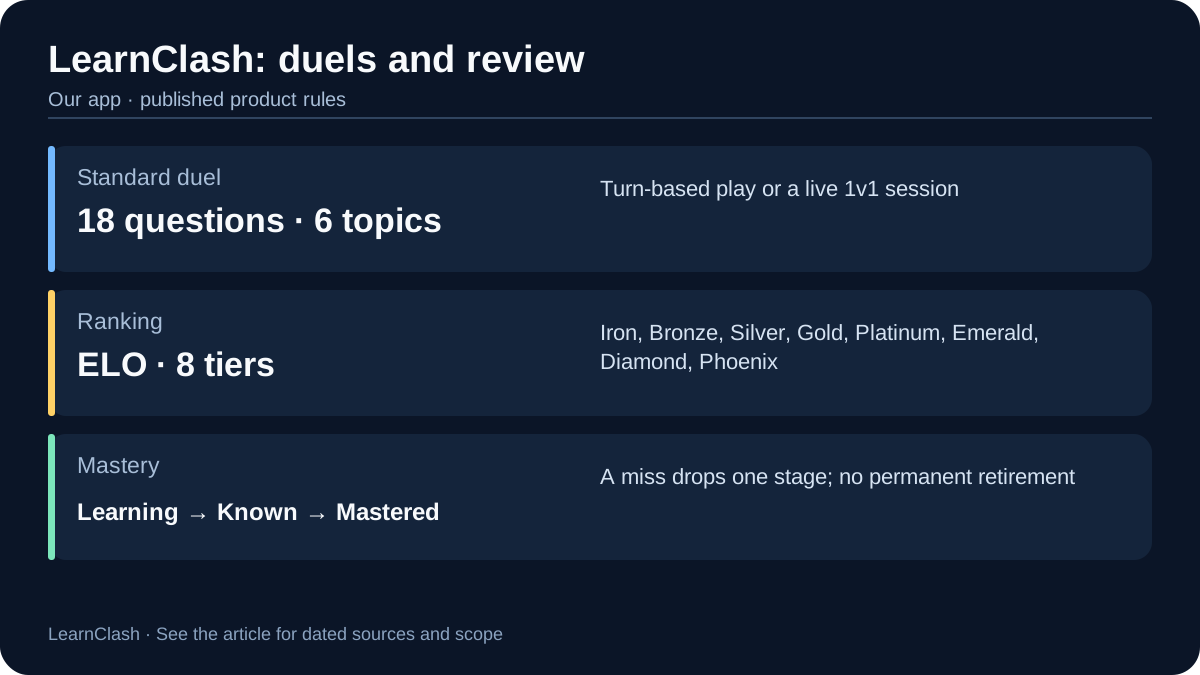
The core difference is structural. A duel is 18 questions across 6 topics, with 3 questions per topic and 6 questions per turn, about 3 minutes. Players can use turn-based play with 72 hours per turn, or play a live 1v1 session. That turn-based lane is the territory our LearnClash vs QuizDuel comparison covers. The rating underneath is an ELO rating shown as a familiar number. New players start at 1300, the ladder average, and roughly 10 placement duels settle your public tier; after that an even-rating win or loss moves the number 8 to 41 points, depending on the score margin. Accuracy climbs. Speed never does.
The second difference is what happens to a missed question. LearnClash schedules it through a 3-stage spaced repetition cadence: A correct answer can advance Learning to Known after a 7-day cooldown, then Known to Mastered after 90 days. A miss drops the question one stage. These are promotion cooldowns, not guaranteed reappearance dates, and Mastered questions are not permanently retired. Flashcard apps have done this for decades. Nobody else on this list wires it into a competitive format, and that wiring is the entire bet behind the product. Now the honest part. Skip LearnClash if:
- You need a projector game for Friday review. LearnClash has no host mode, no lobby, and a class of 30 cannot play one duel together. Blooket is the answer there, and Baamboozle if the room has no devices.
- You want to grind alone for an hour. Solo mode on the free tier is metered to one session a day, so that habit needs Premium at $7.99 a month.
- You are offline. Every duel and Solo session needs a connection.
LearnClash is for the learner side of the problem: the student, the duo, the family filling a commute, anyone who wants missed questions to come back until they stick. The full LearnClash vs Kahoot comparison goes feature by feature if you want the head-to-head, and a first turn takes about three minutes.


2. Blooket: Best Direct Classroom Replacement
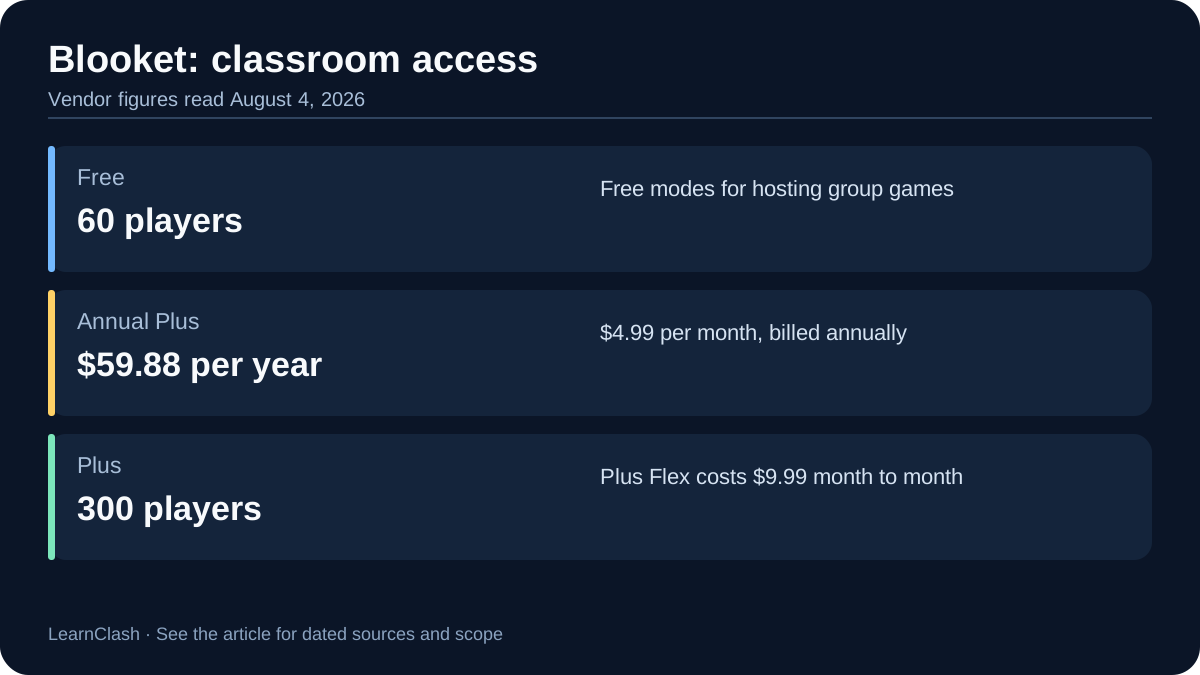
Blooket is the closest like-for-like swap for Kahoot because it keeps the live game-show format while removing the cap that hurts. Its free tier supports 60 players, six times Kahoot’s personal limit. When we last counted its catalog on July 14, 2026, more than 20 game modes were free to host. Kahoot keeps most game-style experiences behind paid plans. Neither runs spaced repetition, the thing LearnClash builds around.
| Kahoot | Blooket | |
|---|---|---|
| Free player cap | 10 personal / 40 teacher | 60 |
| Game modes | Experiences, mostly plan-gated | 20+ (free to host) |
| Cheapest paid plan | $3/mo (Bronze, annual) | $4.99/mo (Plus, billed yearly) |
| Content creation | Host-made | Teacher-made |
| Learning retention | None | None |
Dating note: Blooket’s plans page refuses non-browser requests, so the prices in this section are the ones I read on Blooket’s own pages on August 4, 2026. Its help-center pages refuse them too, but the help center answers through its public API: on October 15, 2026, it still listed 60 players on the free plan and 300 on Plus. Third-party trackers still print the same prices in late August, but that is corroboration, not a vendor re-read.
Blooket’s mode variety keeps sessions fresh across weeks, with one deliberate quirk: Gold Quest, the most-played mode, is luck-based. A student who answers 5 questions correctly can beat someone who answered 50 through random chest draws. Some teachers love that it levels the playing field. Others flag it as a distraction from the learning, and if the chest mechanics are your deal breaker, the games like Blooket ranking lines up replacements.
The Plus plan runs $4.99 per month billed yearly ($59.88, with a $9.99 month-to-month Plus Flex option). It raises the cap to 300 players, stretches homework deadlines from 14 to 365 days, adds audio questions, hands out 10 bonus tokens per game, and opens a set of Plus-exclusive modes (its game-mode page, read through the help-center API on October 15, 2026, marks five of “over 25 different game modes” as Plus only). Worth knowing before you grade a Blooket session: cheating workarounds circulating on GitHub exploit its client-side architecture. For head-to-heads, see Kahoot vs Blooket or Blooket vs Gimkit. Verdict, in one line: the free-tier cap and mode variety make Blooket the swap a teacher can make this week without a budget conversation.
3. Gimkit: Best Strategy-Based Classroom Game
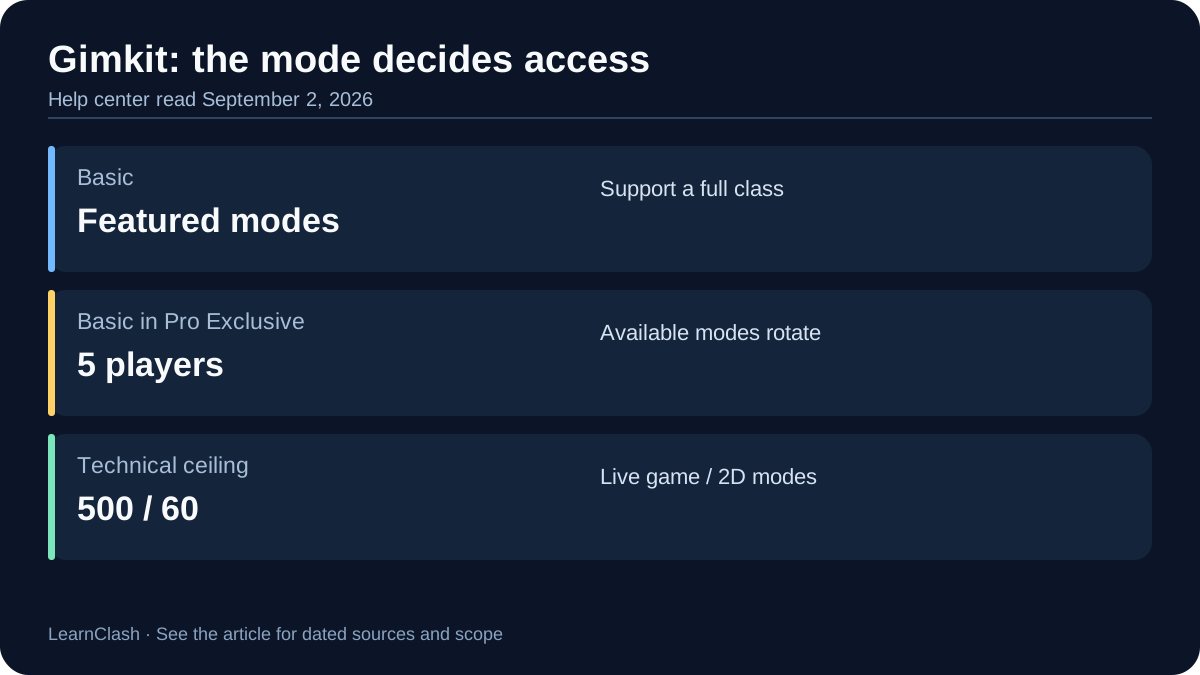
Gimkit weaves power-ups and an in-game economy into quizzes. Nothing else on this list, LearnClash included, makes a right answer buy anything. When we read its landing page on August 4, 2026, it still carried the founder’s signature line, “I started Gimkit as a high school project,” signed Josh F. The product leans harder into game mechanics than Kahoot ever has. The catch sits in the free tier: featured modes can host a full class, while Pro Exclusive modes cap Basic hosts at 5 players.
| Kahoot | Gimkit | |
|---|---|---|
| Free student cap | 10 personal / 40 teacher | Featured modes full class / Pro modes 5 |
| Core mechanic | Speed quiz | Strategy + in-game currency |
| Cheapest paid plan | $3/mo | $59.88/yr Pro (or $14.99/mo) |
| Game variety | Experiences (plan-gated) | 10+ modes (Gimkit’s own count) |
| Hard player limit | 800 (Kahoot One tier) | 500 per live game (60 in 2D modes) |
The 5-player gotcha most reviews skip: Gimkit’s help center is blunt about it, and the wording held on September 2, 2026: “Gimkit Pro Exclusive modes are limited to 5 players for Gimkit Basic members. Featured and Pro Exclusive modes are rotated every few weeks.” Its Pro FAQ adds that “there are generally three free game modes at any given time.” If this week’s rotation includes the mode your class loves, Basic works for everyone. If not, you need Pro at $59.88 per year or $14.99 month-to-month.
On mode count, be careful with what you read elsewhere. Community trackers list 25-plus Gimkit modes. Gimkit’s own landing page marketed “10+ unique game modes” at our August read, and the community wiki that fed the bigger number would not load when we re-checked. Either way the hard ceilings are vendor-published and unchanged: 500 students per live game, 60 for its 2D modes. Gimkit’s Pro FAQ even does the honest math on its own pricing. The annual plan beats month-to-month once you use it 4 or more months a year. For buildings, a Department plan covers 20 teachers at $650 a year. A School plan covers the whole staff at $1,000.
The modes themselves are genuinely clever. “The Floor Is Lava” mixes platformer mechanics with quizzes. “Trust No One” borrows from Among Us. Students burned out on quiz shows often find Gimkit fresh for a few weeks before the power-up rhythm repeats. The drawback beyond the 5-player wall is that the economy rewards volume. A fast guesser can out-earn a careful thinker in most modes. For the three-way classroom decision, see Kahoot vs Gimkit and Kahoot vs Blooket vs Gimkit; if the 5-player cap rules Gimkit out, the games like Gimkit ranking covers strategy-style alternatives without it.
4. Wayground (formerly Quizizz): Best Self-Paced Student Quizzes
Wayground, the platform formerly known as Quizizz, is the best alternative to Kahoot for self-paced quizzes and homework, and the closest classroom cousin to what LearnClash does for a single learner. Quizizz rebranded to Wayground in June 2025, expanding from a quiz tool into a full supplemental learning platform. Its homepage makes the boldest reach claim on this list, verbatim: “Trusted by teachers in 90% of U.S. schools and 150+ countries.”
| Kahoot | Wayground (Quizizz) | |
|---|---|---|
| Pacing | Host-controlled live | Self-paced default |
| Reach claim | Global quiz-show brand | Says “90% of U.S. schools” |
| Difficulty adjustment | None | Adaptive question banks (paid) |
| Renamed in 2025 | No | Yes (June 2025) |
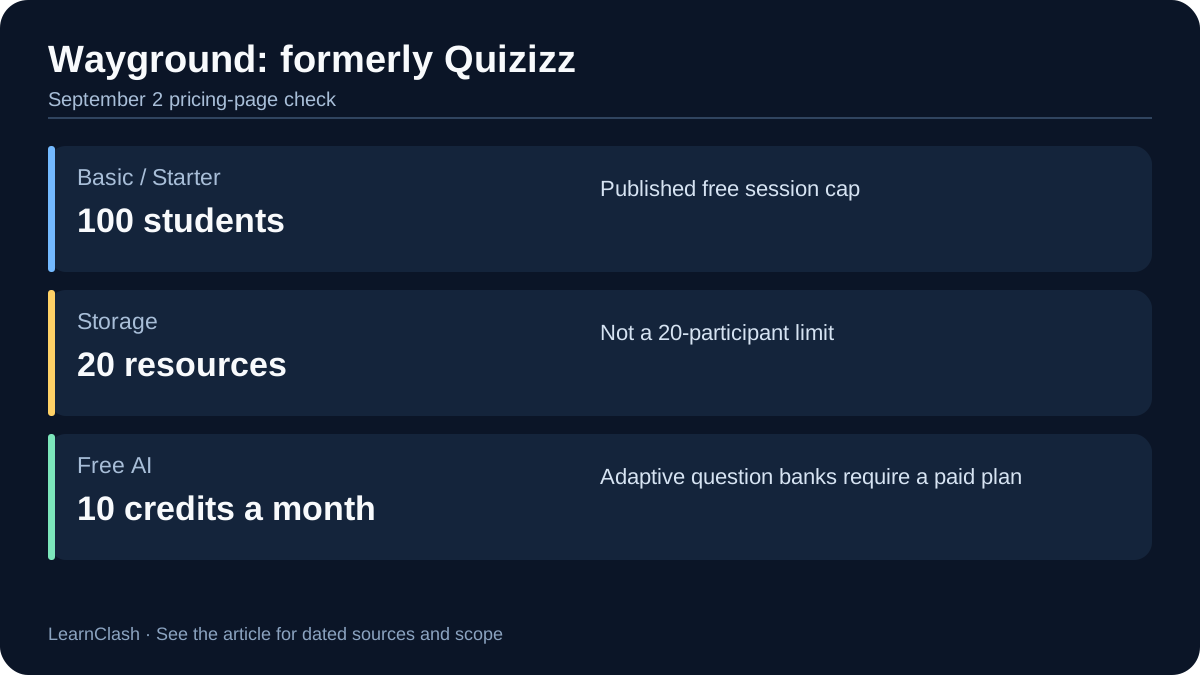
Most review articles still say “Quizizz” as if nothing changed. The rebrand matters for two reasons. First, Wayground is genuinely bigger than Quizizz was: assessments, presentations, interactive videos, reading passages, and flashcards now share a single teacher login, plus what the plans page, re-checked on October 15, 2026, counts as “20+ accommodations, including Read Aloud.” Second, adaptive question banks assign each student a different question set, something Kahoot’s one-speed-for-everyone format cannot do. The Individual plan’s own help article (updated May 2026) lists that feature, and the free plan does not have it.
| Free-plan session cap, by our check | What Wayground’s plan comparison showed |
|---|---|
| July 14, 2026 | 100 participants |
| August 4, 2026 | Row removed; only resource caps documented |
| September 2, 2026 | “Number of students: 100 students” |
The free plan, called Basic on the plans page and Starter in the help center, still covers the classroom basics. Live and student-paced delivery run free. The fine print keeps moving, and I owe a correction to my own correction. The July version of this article quoted a 100-participant session limit. On August 4 that row was gone from Wayground’s plan comparison, so I said so. On September 2, 2026, it is back. The plan comparison lists 100 students for Basic against unlimited on School and District, next to “20 max” activity storage. The Starter help article (updated May 12, 2026) documents the same resource caps, 20 stored and 5 shared per team. The Individual pricing page adds 10 AI credits a month on the free plan against unlimited on Individual. The Individual plan cost $12 per month billed annually, $144 a year, at our July 2026 check. The pricing page geo-prices (it quoted us in pesos on September 2), so re-confirm in your currency. Quizizz-era accounts, integrations, and links still work. Our LearnClash vs Quizizz head-to-head covers how the rebranded platform stacks up against ranked duels.
For self-paced homework at scale, nothing else on this list matches it. The drawback is the flip side of its size. The free plan’s 20-resource cap fills up within a term for a teacher who builds one quiz a week. The buying decision then lands on a geo-priced Individual plan or a district quote.
5. Mentimeter: Best for Live Polls and Presentations
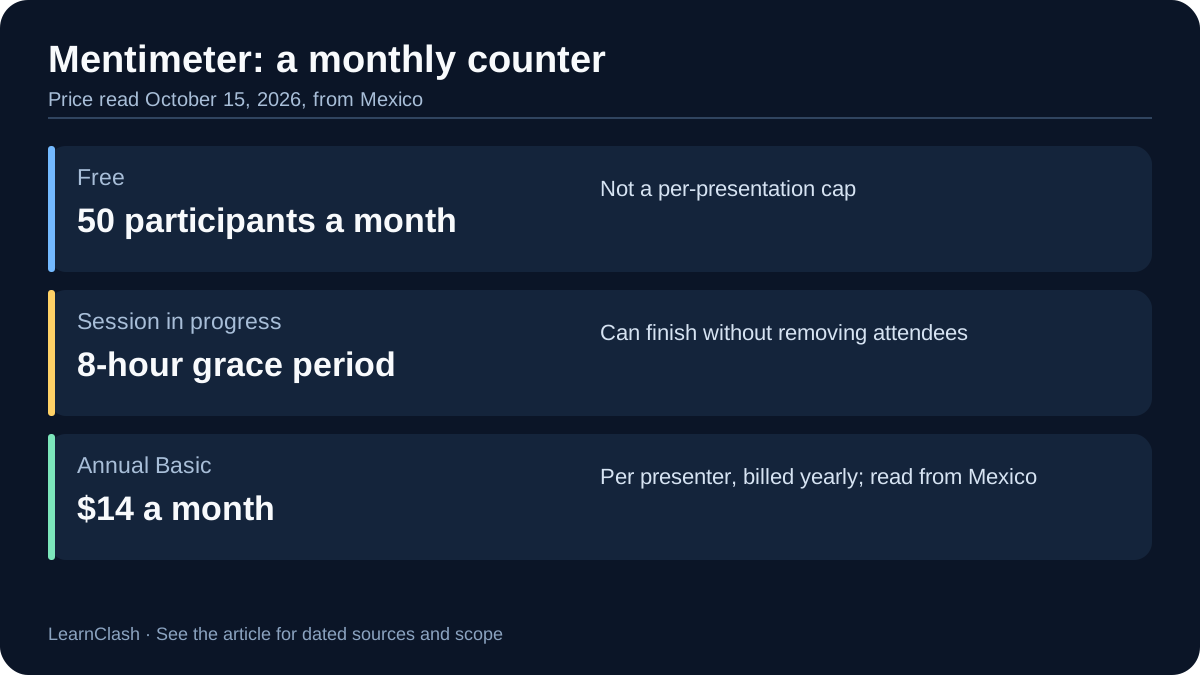
Mentimeter owns the raise-your-hand moment in conference rooms: live audience polls and interactive presentations rather than classroom quiz shows, and nothing like LearnClash’s individual scoring. Its free plan meters 50 participants per month across 23 slide types, word clouds, polls, and quizzes among them.
| Kahoot | Mentimeter | |
|---|---|---|
| Primary use | Classroom quiz show | Presentation polls |
| Free participant cap | 10 per game | 50 per month |
| Cheapest paid plan | $3/mo | Basic $14/mo (billed yearly, read from Mexico) |
| Best for | Schools | Conferences, workshops |
Mentimeter’s free meter works differently from every other tool here. The cap is 50 participants per month, not per session, and Mentimeter promises nobody gets kicked mid-presentation when you cross it. Its plans page spells out the mechanics: “we will never prevent participants from joining and voting on an ongoing presentation,” then “a grace period of 8 hours to finish.” After that, no new presentation goes live until the meter resets on your signup date. One big all-hands runs free. A weekly class burns the meter in week one. The free plan card now sums up that rule in one line: “Unlimited participants once per month.” The plans page no longer promises unlimited question slides; the free tier’s real limit is variety: 23 slide types, with the rest paid. PDF export also sits behind Basic. Mentimeter’s own price feed, read from Mexico on October 15, 2026, lists Basic at $14 and Pro at $28 per presenter per month billed yearly, in US dollars. I could not read the US price (our August and September reads showed $11.99 and $24.99), so check yours before budgeting. Only Basic offers monthly billing.
Pricing re-check (October 15, 2026): Many roundups still print “50 participants per presentation” and ”~€13/mo.” Mentimeter’s own plans page says 50 participants per month, “Unlimited participants once per month,” 23 free slide types, and no mid-session kicks. Read from Mexico, its price feed lists Basic at $14 per month billed yearly. The “unlimited question slides” line from our August and September reads is gone.
The trade-off is obvious: Mentimeter is great for the first five minutes of a keynote and not built for a full classroom review session. If you want the audience to vote, this is the tool. If you want students to compete, look elsewhere on this list.
6. AhaSlides: Best Budget-Friendly Presentation Tool
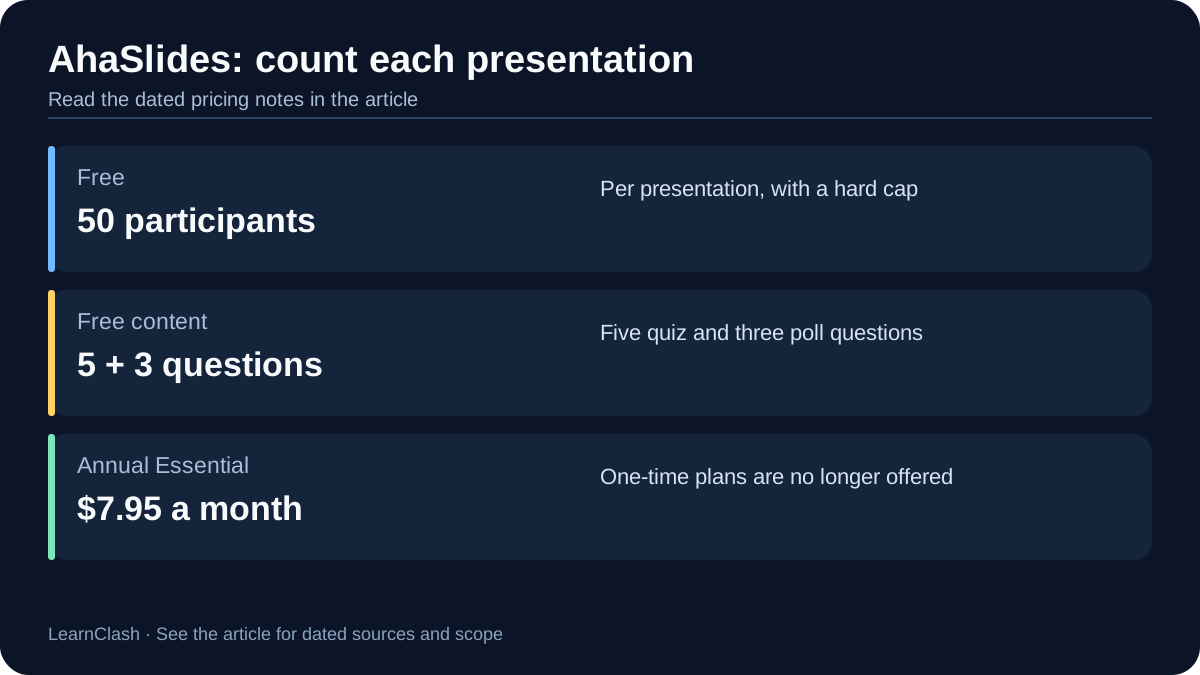
AhaSlides is the budget pick among presentation tools. Its free tier allows 50 participants per presentation with unlimited presentations per month, and the Essential plan at $7.95 per month billed yearly is the lowest paid entry point of any presentation tool on this list; LearnClash Premium costs $7.99 but serves a different task.
| Mentimeter | AhaSlides | |
|---|---|---|
| Free participants | 50 per month | 50 per presentation |
| Cheapest paid plan | $14/mo (yearly, read from Mexico) | $7.95/mo (yearly) |
| Free quiz content | 23 slide types, monthly participant meter | 5 quiz + 3 poll questions per presentation |
| Billing | Yearly (Basic also monthly) | Yearly or month-to-month |
The meter design decides most picks between these two. AhaSlides counts 50 free people per session and Mentimeter counts 50 per month. So a teacher running weekly sessions stays free on AhaSlides and hits Mentimeter’s wall in week one. The free tier’s content limit runs the other way, in the pricing FAQ’s own words: “up to 5 quiz questions and 3 poll questions within a single presentation.” And unlike Mentimeter, AhaSlides does shut the door at the cap: “participants past the limit won’t be able to join in.”
Above free, Essential covers 100 participants at $7.95. The pricing page’s own metadata still confirms that figure on September 2, 2026 (“paid plans from $7.95/month,” with a price range of $7.95 to $49.95). The Pro tier’s yearly rate is the one number I could not re-read this month. Its comparison table only renders in a browser, and it was $11.15 per month billed yearly on August 4 after a cut from $15.95 three weeks earlier. AhaSlides adjusts its list prices often, so treat any Pro figure as a dated snapshot. Month-to-month billing runs $23.95 for Essential and $49.95 for Pro, which the page still sums up as “Save 67% with yearly.” The yearly commitment is where the budget-pick math actually lives. Two more data points from its own pricing page: it advertises a 4.6/5 rating on G2, and it offers a 14-day full refund if you have not yet run a live event. One thing it dropped in late 2025 is one-day licenses. The buy-one-workshop lane now belongs to Slido’s one-time event plans.
7. Nearpod: Best for Interactive Lessons
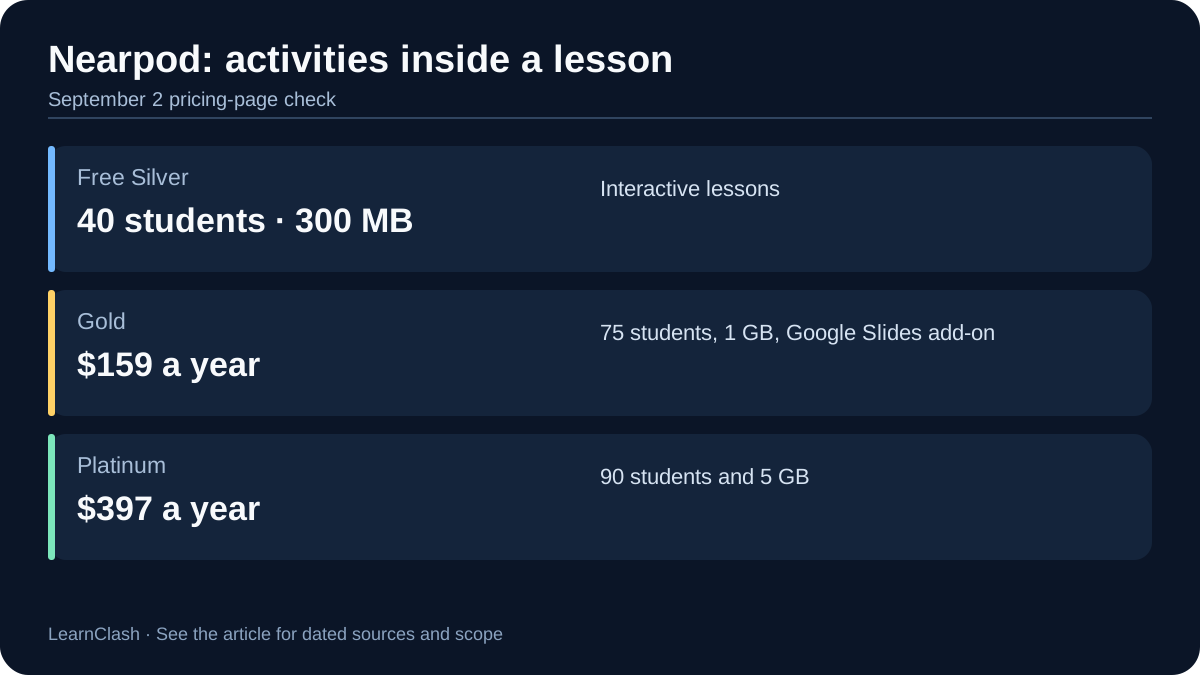
Nearpod embeds the quiz inside the lesson itself rather than running it as a standalone game, the opposite of LearnClash’s standalone duel. Polls, quizzes, and open-ended questions drop into Google Slides decks through its add-on (a paid-plan feature), with imported PowerPoint decks getting the same treatment in Nearpod’s editor. The free Silver plan covers 40 students and 300 MB of storage.
| Kahoot | Nearpod | |
|---|---|---|
| Primary use | Standalone quiz | Interactive lesson |
| Google Slides integration | No | Yes (paid plans) |
| Free student cap | 10 personal / 40 teacher | 40 |
| Cheapest paid plan | $3/mo | Gold $159/yr |
The free tier matches Kahoot’s 40-player teacher limit and exceeds its 10-player personal limit. Paid tiers are where the pricing diverges hard from Kahoot’s, and every figure held on September 2, 2026: Gold at $159 per year lifts the cap to 75 student joins per lesson with 1 GB of storage and adds the Google Slides add-on plus an AI question generator, Platinum at $397 per year covers 90 students and 5 GB, and School and District licensing covers 250. That gap from Kahoot Bronze is why most individual teachers stay on Silver.
What earns the money is activity variety inside a single lesson: draw-it, matching pairs, collaborate board, time to climb, memory test, open-ended questions. Kahoot’s quiz-show format looks thin next to it. The drawback is the jump: there is no $3-a-month rung, so a teacher who outgrows 40 students pays $159 up front or stays put. Teachers who already live in Google Slides land here more than anywhere else on this list.
8. Genially: Best for Custom Branded Experiences
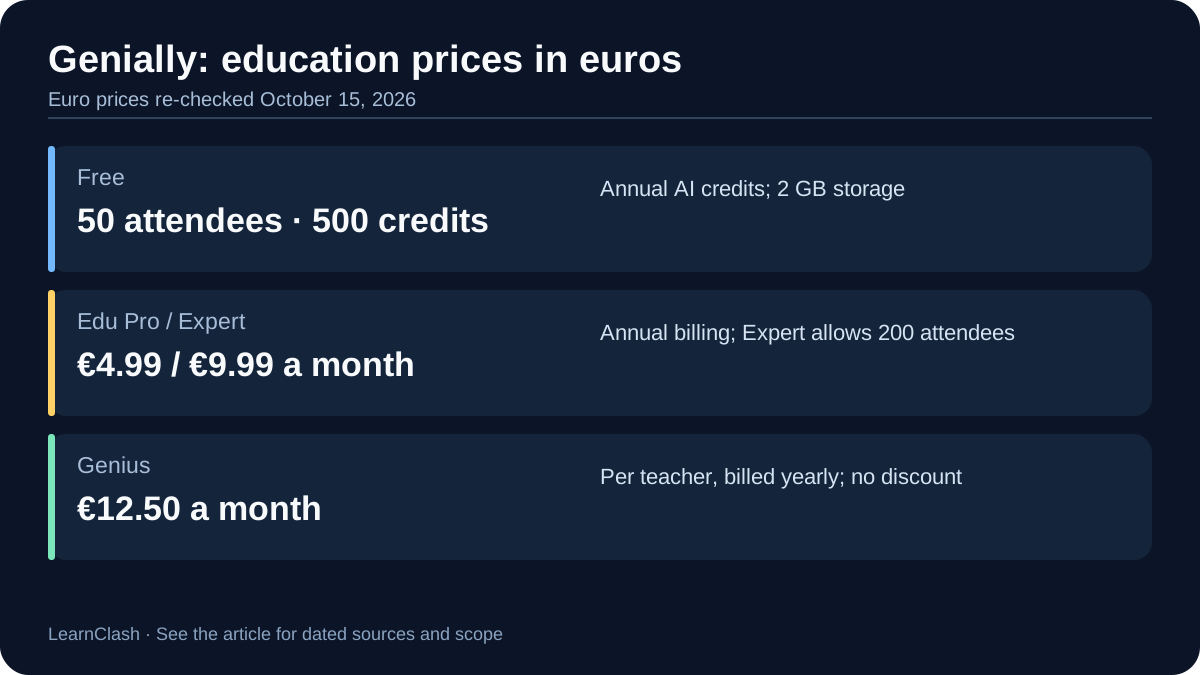
Genially hands teachers and marketers the design keys that every other tool here keeps locked, LearnClash included. The free education plan gives you 2 GB of storage, 500 AI credits a year, live presentations for 50 participants per session, and a library Genially counts at 1,000-plus free templates and resources. Where every other tool on this list locks you into its look, Genially is a design canvas that happens to run quizzes.
| Kahoot | Genially | |
|---|---|---|
| Design control | Fixed templates | Full custom branding |
| Free tier | 10-player cap | 2 GB, 500 AI credits, 50 live participants |
| AI features | Paid only | Credits on every plan |
| Cheapest paid plan | $3/mo | Edu Pro 4.99/mo (euro-priced, billed yearly) |
Genially’s AI works as a yearly credit bank on every plan: 500 credits free, 2,000 on Edu Pro, 3,000 on Expert, and 5,000 per seat on Genius. That last tier appeared on the education page by September 2, 2026. Free credits cover generating texts, interactive images, creations, questions, and components. Edu Pro adds text or audio summaries of a genially. Expert adds voiceover generation and lifts live presentations from 50 to 200 participants per session with no monthly limit. Genius adds image generation in multiple styles. The ladder was restructured twice this summer, so treat any older description of “which AI feature needs which tier” as stale, including our own July and August ones.
The pricing note this month is currency. Genially’s education page quoted us in euros on September 2, 2026: Edu Pro at 4.99 a month billed yearly, Expert at 9.99, Genius listed at 12.50 with a 60 percent launch discount to 5, and Edu360 at 25 per teacher. That discount ended on September 16: on October 15, 2026, Genius read 12.50 euros per teacher a month, billed yearly, with no discount. Our August read priced Edu Pro at $7. So either the dollar ladder differs or the tier was repriced with the restructure; the page still quoted us euros in October, so confirm in your own currency before budgeting. The drawback is the one the price hides. The free plan’s 50-person live cap is smaller than Blooket’s 60 or Slido’s free Q&A, but still covers a 30-student class. Groups above 50 need a larger plan, such as Expert. If design polish is the deciding factor, nothing else here competes.
9. Slido: Best for Corporate Meetings and Events
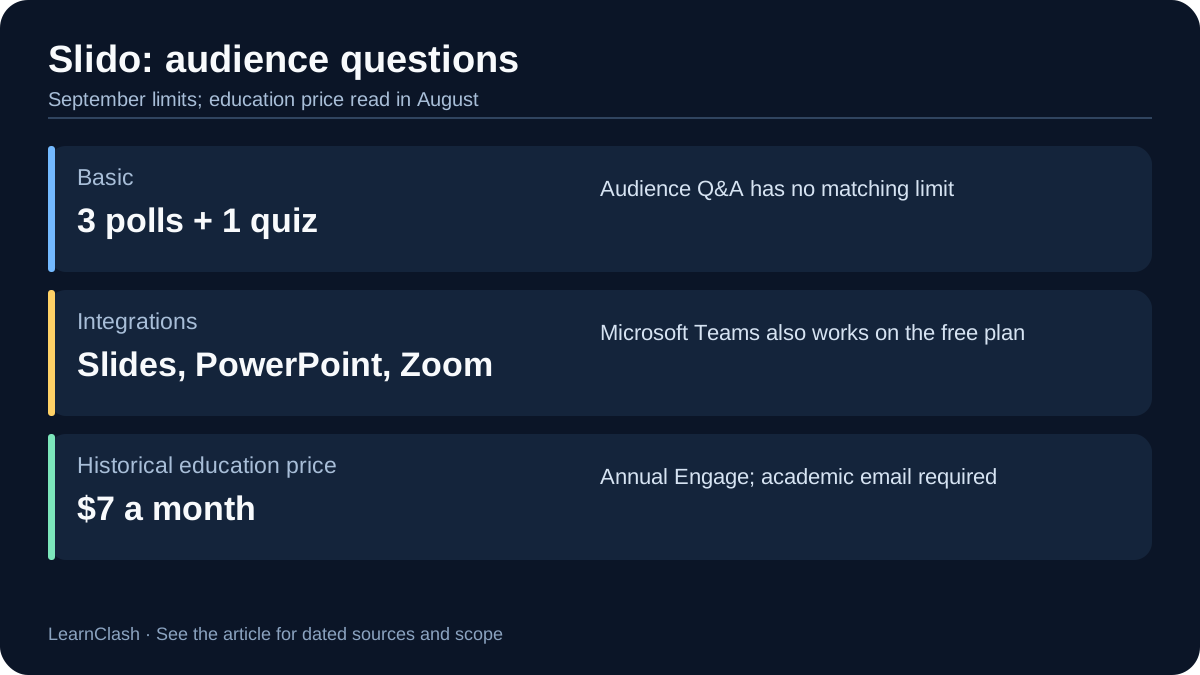
Slido belongs to the corporate room: meetings, town halls, and conferences, a world away from LearnClash’s phone-sized duel. Owned by Cisco, it integrates with PowerPoint, Google Slides, Zoom, and Microsoft Teams on every plan including free. The free Basic plan, in Slido’s own help-center words, “can be used for unlimited slidos with 3 polls, a single quiz, and audience Q&A.”
| Mentimeter | Slido | |
|---|---|---|
| Free participants | 50/month | 100 per event (August 4 read) |
| Free polls per event | 23 slide types, monthly meter | 3 polls + 1 quiz (unlimited Q&A) |
| Integrations (free tier) | Limited | PowerPoint, Google Slides, Zoom, MS Teams |
| Cheapest paid plan (edu) | Basic $11/mo (edu, yearly, read from Mexico) | Engage $7/mo (edu) (August 4 read) |
A dating note first. Slido’s pricing table is built in the browser, and its help center is what I could read on September 2, 2026. The help center confirms the shape of the offer. Paid annual plans come in 200, 1,000, and 5,000 participant sizes. One-time event plans match those sizes with unlimited polls and Q&A for a single slido. Basic slidos “can last up to 7 days.” The dollar figures below are from the pricing page as read on August 4, 2026. Slido’s edu Engage tier at $7 per month billed annually ($84 a year, academic email required) covered 500 people with unlimited polls and quizzes. Business pricing ran $17.50 for Engage, $75 for Professional, and $200 for Enterprise per month. The $7 edu tier is less than a tenth of the business Professional rate. Edu Professional at $12 per month added 1,000 people and moderation. Institution at $80 per month covered 5,000 with SSO. One-time single-event plans started at $60, the lane AhaSlides abandoned.
One promise from Slido’s help center that almost nobody else makes, re-checked October 15, 2026: “If you purchased your plan directly through Slido, we don’t store your credit card details, you will never be automatically charged for a renewal.” The exception is new: since September 14, 2026, some new US customers buy through the Cisco Store, where automatic renewal is available but turned off by default. The free tier’s real limit is the 3-poll cap per event. The drawback for classrooms is that Engage-level plans skip moderation, branding, and multiple rooms. Those start at Professional. Unlimited Q&A is the feature conference organizers actually need, and it is free.
10. Socrative: Best for Quick Formative Assessment
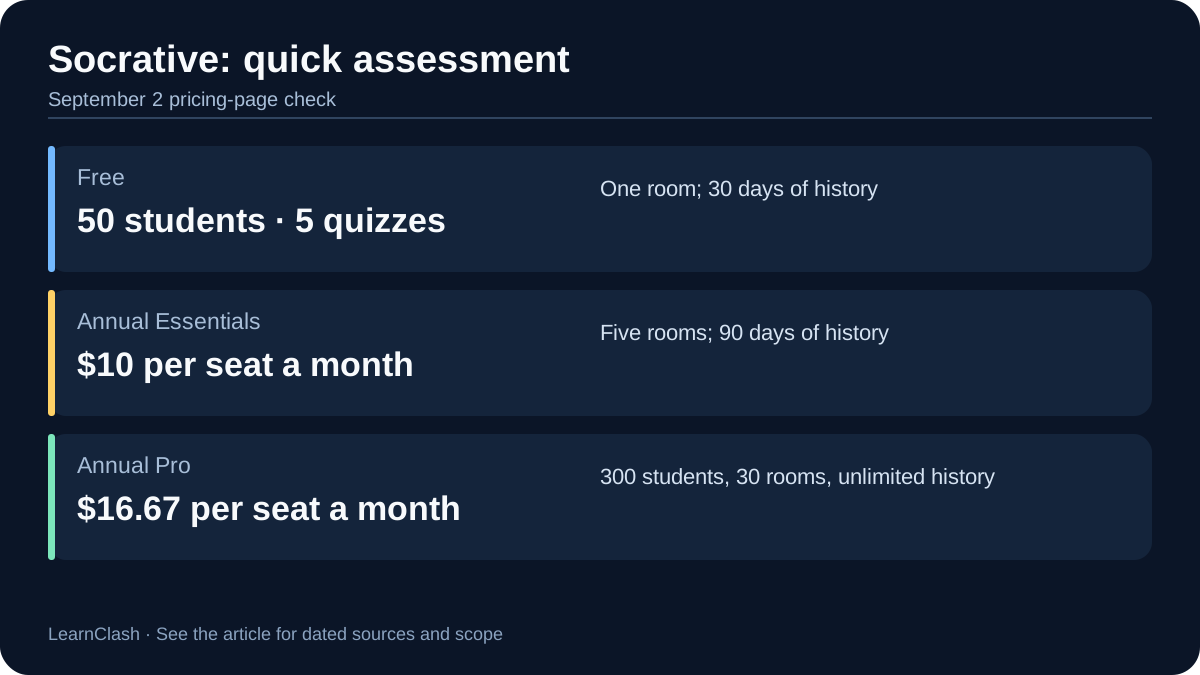
Socrative is assessment-first, not game-first: exit tickets, comprehension checks, quick pulses, with faster setup, real-time grading, and no game mechanics between the teacher and the data. LearnClash puts a ranked duel in front of the same data. The free plan covers 50 students per activity, 5 quizzes, 1 room, and 30 days of report history.
| Kahoot | Socrative | |
|---|---|---|
| Primary use | Quiz show | Formative assessment |
| Free student cap | 10 personal / 40 teacher | 50 |
| Instant grading | Per-game | Real-time during session |
| Students pay to participate | No | Never |
| Cheapest paid plan | $3/mo | Essentials $10/mo (billed yearly) |
Socrative makes one specific promise worth quoting, and it held on September 2, 2026: it is “100% free for students to use, on all devices,” regardless of the teacher’s plan. The free tier’s limits are enough for single-teacher use, and the Space Race team mode runs free too. The 2026 plan structure runs Essentials at $10 per seat per month billed yearly ($120, with unlimited quizzes, 5 rooms, and 90-day history). Pro at $16.67 per seat per month billed yearly ($200.04) raises the cap to 300 students per activity with 30 rooms and unlimited report history, which is the tier a department buying several seats for large lecture sections actually needs. New since our August read: an Organization tier at $14.40 per seat per month for multi-seat buys, and a “Save 10% with 2+” nudge on Pro. The month-to-month Pro price we quoted in August no longer appears on the pricing page. Budget on the annual figures.
What you give up is looks. Data first, looks second. Socrative is plain next to Blooket or Genially, and the free plan’s 5-quiz ceiling means a teacher who runs weekly exit tickets is deleting old quizzes by October. Teachers who prioritize clean data over aesthetics tend to call that a feature.
How to Choose the Right Kahoot Alternative, and What Changed This Month
Start from the room, not the app. A solo learner, a pair of rivals, or a family wants a loop that keeps teaching after the session: that is LearnClash’s lane (ours, remember), with Wayground’s self-paced quizzes as the classroom-flavored cousin. A classroom with devices wants Blooket free this week, or Gimkit if there is $60 of budget and an appetite for strategy modes. A classroom without devices wants Baamboozle on the one screen, or Wordwall activities printed.
Presenters split by cadence: Mentimeter’s monthly meter suits one big meeting, AhaSlides’ per-presentation meter suits weekly sessions, and Slido owns the corporate room with free unlimited Q&A. Assessment moments, exit tickets and comprehension checks, belong to Socrative. Design-led interactives belong to Genially, and lesson-embedded activities to Nearpod.
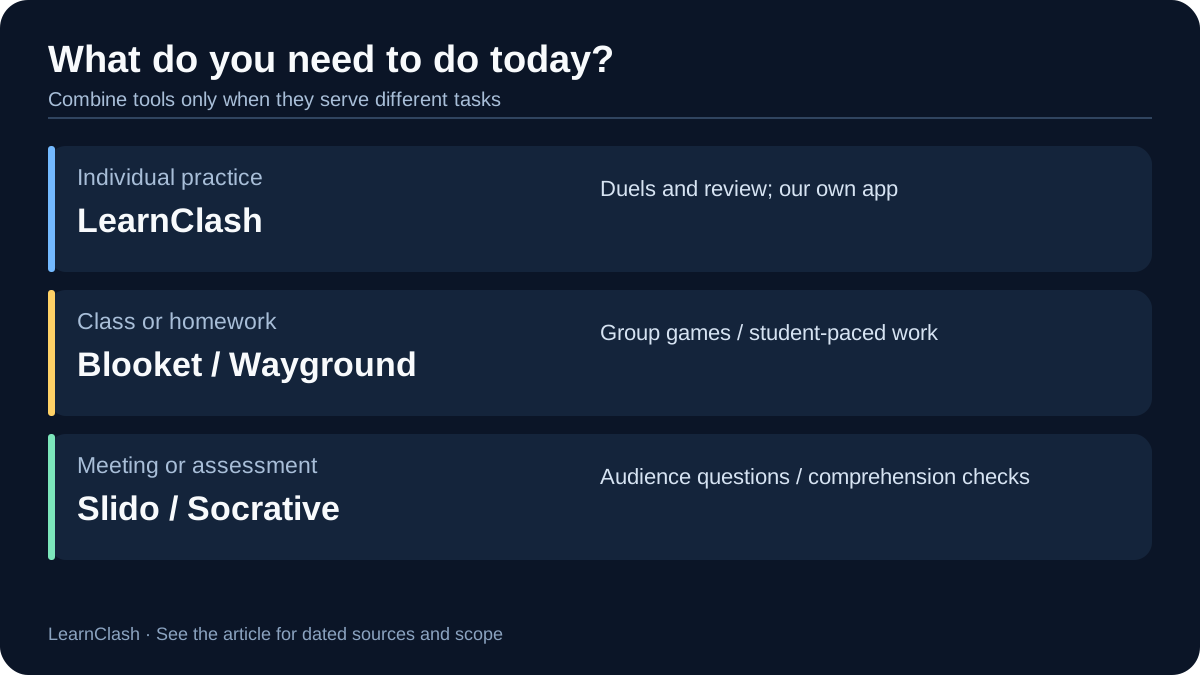
A teacher could combine tools for different tasks: Blooket plus LearnClash for a classroom game and individual practice, or Nearpod plus Wayground for lessons and homework. These are possible combinations, not a measured usage pattern.
What changed between our August 4 and September 2 checks. Four weeks passed between our last two sweeps of the vendor pages behind this article. LearnClash’s own numbers were re-read against the app’s pricing page on the same day. Six things moved:
- Kahoot relabeled its free teacher tier. The school plans page now shows the 40-player free plan as Kahoot Go, the same name the 10-player personal plan carries, while its FAQ still lists “Teacher essentials: 40.” A new Kahoot One Ultra tier for communities appeared at $39 per month (struck-through $49). The personal page shows Silver, Gold, and One as marked-down rates.
- Wayground’s 100-student row is back. The free-plan session cap that vanished from the plan comparison in August is listed again as “Number of students: 100 students.” Storage stays at 20 resources; the Individual pricing page adds the 10-AI-credits-a-month line.
- Genially restructured again. The education ladder is euro-priced with Edu Pro at 4.99, Expert at 9.99, and a new Genius tier at 12.50 (launch-discounted to 5). Expert’s live cap is stated as 200 participants per session.
- Socrative added an Organization tier at $14.40 per seat per month and dropped the month-to-month Pro price from its pricing page.
- Two vendors went unreadable without a browser. Blooket’s plans page and the help-center pages of Blooket and Kahoot return a 403 to non-browser requests. Both help centers still answer through their public help-center API, which we used from October. Blooket’s prices above therefore carry the August 4 date, and the Kahoot experience list comes from the plans page rather than the support article.
- What held: Gimkit’s 5-player rule, 500/60 hard caps, and $59.88 Pro price; Mentimeter’s 50-per-month meter and $11.99 Basic; AhaSlides’ free 50 and $7.95 Essential; Nearpod’s Silver, Gold, and Platinum; Slido’s 3-poll free tier and no-auto-renew promise; Socrative’s 50/300 caps; Wordwall’s 3 activities and 12 free templates; Quizalize’s 20-student free class; Baamboozle’s one-screen play; Mission.io’s “quick clicks” wording.
What moved by October 15, 2026. Six weeks later, a second pass found six changes, plus one correction of our own:
- Mentimeter’s price feed, read from Mexico, lists Basic at $14 and Pro at $28 per presenter per month billed yearly. Its free plan card adds “Unlimited participants once per month,” and the “unlimited question slides” line is gone.
- Mission.io rewrote the guide we quoted, so the quote above is its current line.
- Wayground now counts “20+ accommodations.”
- Genially’s Genius launch discount ended on September 16.
- Since September 14, some new US Slido customers buy through the Cisco Store, where automatic renewal exists but is off by default.
- Our correction: Blooket’s help center, which we had called unreadable, answers through its public API. It still lists 60 free and 300 Plus players and marks five of its 25-plus modes as Plus only.
That churn rate is the honest closing argument of this whole page. A quiz-tool comparison is not something you write; it is something you maintain. Any roundup without dated checks is describing a market that no longer exists. The numbers above hold as of the dates they carry: September 2, 2026, for most, and October 15, 2026, for the ones that moved since. When they stop holding, this page changes and says so.
For how this field stacks up beyond Kahoot lookalikes, the 11 best trivia apps ranking covers the wider market. The comparison hub lists every quiz and trivia app head-to-head we have published.
How we test
We use the tools we compare. That means installing the mobile apps on real iOS and Android devices, hosting test sessions in the browser tools, and joining from a second device as a participant, because free-tier limits usually show up on the join screen, not the marketing page.
Every number is dated. Prices, player caps, and plan names come from each vendor's own public pricing page or help center, read in a normal browser and recorded with the date we read them. When a claim cannot be re-verified on the vendor's site, we either date it to the last check that confirmed it or cut it. Quotes are verbatim from the cited page or they are not quotes. The last full re-check of every vendor claim on this page ran on October 15, 2026.
First-party data carries its export date. When we cite usage numbers from LearnClash itself, such as answer rates on specific questions, they come from dated production-database exports, and we put the export date and sample size next to the number.
Nobody pays to be here. No vendor has paid for placement or ranking in our comparisons, none sees a draft before publication, and there are no affiliate links in them. If that ever changes, this box will say so.
LearnClash is our own product. These comparisons are written by the person who builds it, which is a bias you should know about. We handle it in the open: our app is always labeled as ours, we do not stage tests designed to crown it, and every comparison names the situations where a competitor is the better pick. Read our app's entry as a founder's pitch with checkable numbers, and the rest as the dated re-checks they are.
Frequently asked questions
What is the best free alternative to Kahoot in 2026?
For a live classroom, Blooket: its free tier hosts 60 players against Kahoot's 10-player personal cap, with most of its 20-plus modes (our July 2026 count) free to host. For solo or 1v1 learning that sticks, we built LearnClash for exactly that job: free daily quiz duels, an ELO rating ladder, and spaced repetition in every mode (disclosure: LearnClash is our own app).
What happened to Quizizz?
Quizizz rebranded to Wayground in June 2025. The legal entity, user accounts, and integrations stayed the same; the plans page footer still reads Quizizz Inc. (DBA Wayground). The new name reflects its shift from a quiz tool into a full supplemental learning platform. Wayground's homepage says it is trusted by teachers in 90 percent of US schools and 150-plus countries.
How many players can Kahoot's free plan support?
Kahoot's personal free plan (Kahoot Go) caps sessions at 10 players. The free teacher tier raises that to 40; Kahoot's school plans page now shows it under the Kahoot Go name too, while its own FAQ still calls it Teacher essentials. Paid tiers go higher: Bronze 50, Silver 100, Gold 200, and Kahoot One up to 800 players, at $3 to $19 per month billed annually ($9 to $34.99 billed monthly).
Is Blooket or Kahoot better for classrooms?
Blooket wins on free-tier generosity: 60 players versus Kahoot’s 40-player teacher tier (10 personal), and 20-plus game modes mostly free to host (our July 2026 count), while Kahoot keeps most of its game experiences behind paid plans. Kahoot has the larger research base: a 93-study review in Computers & Education examined its classroom results and found that speed-based scoring can reduce reflection and lead some students to guess without thinking. Kahoot's free Accuracy experience answers that critique by removing the speed bonus. Neither runs spaced repetition.
Are there Kahoot alternatives without ads?
LearnClash shows no ads on any tier, free included; the model is a $7.99/month Premium subscription instead (disclosure: it is our own app). Most classroom tools fund their free tiers with upgrade prompts and paid feature gates rather than clean no-ad promises, so check the vendor's current plan page before rolling anything out to students.