
Virtual Scavenger Hunt: 73 Ideas + Rules [Tested 2026]
Virtual scavenger hunt ideas for adults, kids, and remote teams. 73 prompts, Zoom rules, and the 4-player team cap that beats social loafing.

In 1913, French agricultural engineer Maximilien Ringelmann published a rope-pulling experiment he had run in the 1880s. One person pulled at 100% effort. Eight people pulled at 49% each. Put 8 to 12 players in one Zoom call and a virtual scavenger hunt sags for the same reason.
A virtual scavenger hunt is an online game where remote players race a clock to find items, take photos, or solve prompts from their own home. Below you’ll find 73 prompts, work-safe lists, Zoom rules, and the 4-player team cap that beats social loafing. When the live game wraps and two teammates still want a winner, a 1v1 duel on LearnClash keeps the score going without another meeting.
What Is a Virtual Scavenger Hunt?
A virtual scavenger hunt is an online game where remote players race a timer to find physical items, take photos, or solve digital prompts, usually over Zoom, Slack, or a dedicated app. Three moving parts run the whole thing: a list, a clock, and a way to verify. Players race the clock against the list, hold each find on camera, and the host scores the round.
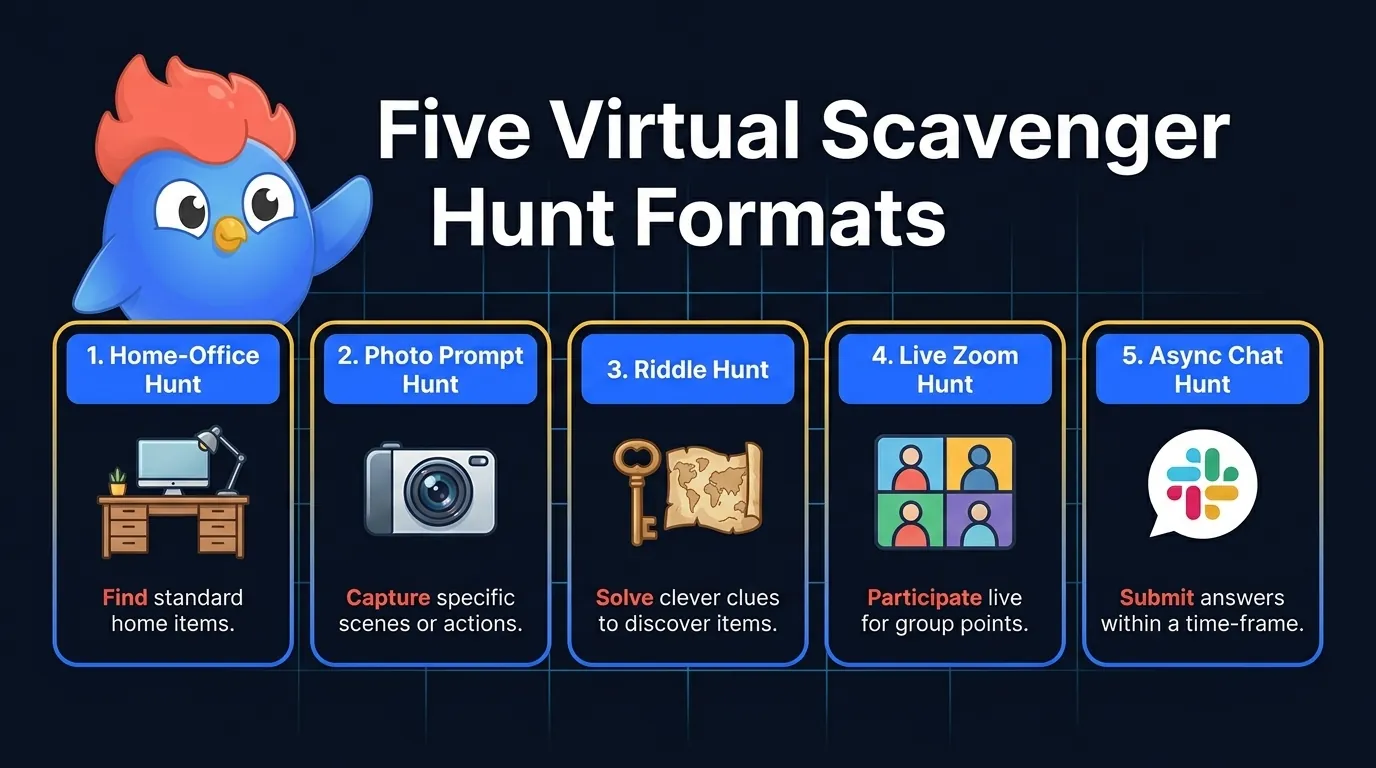
The virtual version splits into a wider spread of formats than the church-basement original ever did:
- Home-office hunt: players grab items from their desk
- Photo prompt hunt: players send a phone photo (oldest book, view from window)
- Riddle hunt: players solve a clue trail, often through Google Maps Street View
- Live Zoom hunt: gallery view, host calls items, first to camera scores
- Async chat hunt: prompts dropped in Slack or Teams, teammates answer over a workday
The social-game version traces back to Elsa Maxwell, the gossip columnist who brought it to a 1927 Paris party. The defining rule was odd: nothing on the list could be bought, only begged, borrowed, or bartered. Hollywood noticed. The 1936 comedy My Man Godfrey opens with a society scavenger hunt where the heiress is sent to bring back a homeless man.
Then there’s the high end of the genre. The University of Chicago Scav Hunt has run every year since 1987 and held the Guinness World Record for largest scavenger hunt from 2011 to 2014. Its first list in 1987 already ran 216 items, among them a Nixon campaign button and a set of Mickey Mouse ears. A Friday standup needs closer to 18, which is where the 6-round format later in this guide comes from.
Many teams want a tight 15-minute version that fits inside one meeting, or one that runs across a single workday in chat. Goosechase, Scavify, Eventzee, and Actionbound all ship apps with leaderboards, photo verification, and timed rounds. The rules in the next section work with any of them, or with plain Zoom and a printed list.
The Scoring Rules That Beat Social Loafing
Cap your virtual scavenger hunt at 4 players, because Ringelmann’s rope-pull data shows per-person effort falling to 49% in 8-person teams. A 12-player Zoom room is well past that point.
Picture a French agricultural school in the 1880s. Ringelmann had male students pull on a rope alone, then in groups of up to eight, and measured the force each time. The bigger the group, the less each person pulled. He published the numbers in 1913, and they became the founding study of social loafing.
| Team size | Per-person effort |
|---|---|
| 1 | 100% |
| 2 | 93% |
| 3 | 85% |
| 4 | 77% |
| 8 | 49% |
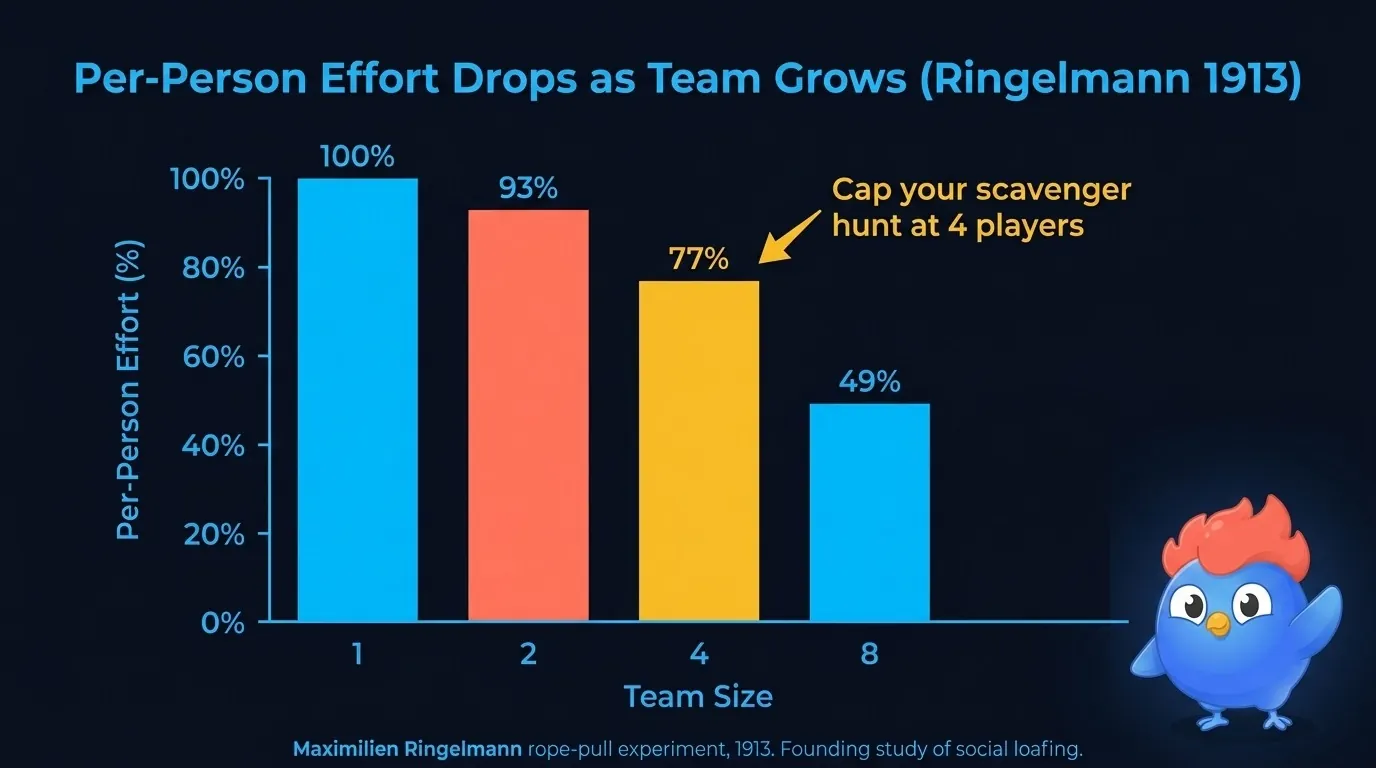 The same numbers as the table, with the 4-player bar marked as the cap. The 3-player value is in the table only.
Two things drive the drop. Coordination loss is people getting in each other’s way; motivation loss is people quietly easing off because their share of the work disappears into the group total. Later re-analyses argue over how much each contributes, but online the motivation half does most of the damage.
That is the gap a prompt list on its own leaves open. Fifty ideas cannot rescue a 12-person Zoom call where four of the players are pretending to look while reading email. The fix is structural, not pep-talk:
- Cap teams at 4 to 5 players. In Ringelmann’s series, 4 is the last size where each person is still pulling above three quarters of solo effort; past 5, the per-person number keeps sliding and accountability goes with it.
- Score individuals, not the team. Even in a team format, the host should call each player’s score by name at the end of each round. Visible attribution removes the free-rider option.
- Switch the loafer from finder to host. If a player misses two rounds in a row, they take over scoring or timing for the next round. Now they have a job again.
LearnClash carries the same logic into the rematch: a LearnClash duel is 1v1, never team, each player answers 6 rounds of 3 questions, a turn can wait up to 72 hours, and the rating moves on every result, so the scoreboard between two teammates stays personal. The same principle explains why async formats often hold up better than live ones. A Slack scavenger thread pins each photo next to the name of whoever posted it, so the attribution is built into the format.
73 Virtual Scavenger Hunt Ideas (Master List)
Treat the eight lists below as a buffet, not a script: pick 12 to 25 prompts and split them into 6 rounds. Mix the buckets as you go: home-office objects, personal items, view-based finds, and small tasks. A list that is all fetch prompts goes flat around round 3, so at least a third of the picks should ask for a story or a photo rather than an object.
Home-office objects (15 prompts)
- Your work mug
- A sticky note with a deadline
- A wired mouse
- A USB cable longer than your forearm
- A printer (any printer)
- A monitor stand or stack of books holding up a monitor
- A planner or notebook
- Headphones
- A lanyard or office badge
- A coffee or tea container with a brand name visible
- A desk plant
- A sealed box that arrived this week
- A pen that no longer works
- A whiteboard, real or virtual
- A second screen, however improvised
Personal items (10 prompts)
- A childhood photo (you in it)
- A book you have not finished
- A passport or ID
- A concert or movie ticket stub
- A piece of jewelry from before you turned 20
- Something handmade by someone you know
- A keychain that came with a story
- A piece of clothing more than 10 years old
- A souvenir from a trip
- A signed note or autograph from anyone
View-based finds (8 prompts)
- The view from your office window
- Your most-used app on your phone home screen
- A stranger walking outside, frame blurred
- The oldest book in your eyeline
- Something blue within 3 meters
- A piece of art on your wall
- The mess you have not cleaned up yet
- A view through any door
Color hunts (10 prompts)
- Something orange
- Something with three colors
- The brightest object in your room
- Something matte
- Something see-through
- Something with a pattern that repeats
- Something gold
- A color match for your shirt
- The most unusual color in your room
- A color that does not exist in nature
Tech (8 prompts)
- A device older than 5 years
- A cable nobody knows the use of
- A piece of paper backup of something digital
- The slowest device you still own
- A QR code
- A file you have backed up to 3 places
- A subscription you forgot about
- The first ever digital photo of yourself you can find
Kitchen (10 prompts)
- A spice you have never used
- The oldest item in your fridge (do not eat it)
- Something fermented
- A pan that has lasted 10+ years
- A mug from a place you no longer live
- A snack you bought yesterday
- The most colorful item in your fridge
- A cookbook
- A measuring spoon
- Something edible that is also a souvenir
Memory lane (6 prompts)
- A handwritten note
- A photo from a wedding
- The first wallet you remember owning
- A toy you saved
- A cassette, VHS, CD, or DVD
- A document with your handwriting from 10+ years ago
Photo challenges, small tasks (6 prompts)
- Take a selfie with a pet
- Show 3 different shoes in 30 seconds
- Hold up something you wrote today
- Recreate a famous album cover with desk objects
- Show your most embarrassing browser tab
- Make a 5-second video of your morning routine
The work-from-home crowd pulls from categories 1 through 4. Family game nights skew to 6 through 8. Classrooms run 4, 5, and 8.
Virtual Scavenger Hunt for Remote Employees
The office version lives or dies on its boundaries. Nothing personal, nothing private, nothing that sends someone digging through the kids’ room mid-meeting. Every prompt below is something a teammate would happily wave at a Friday standup, and the same list doubles as a work from home scavenger hunt on solo-office days when a team just wants to compare desks.
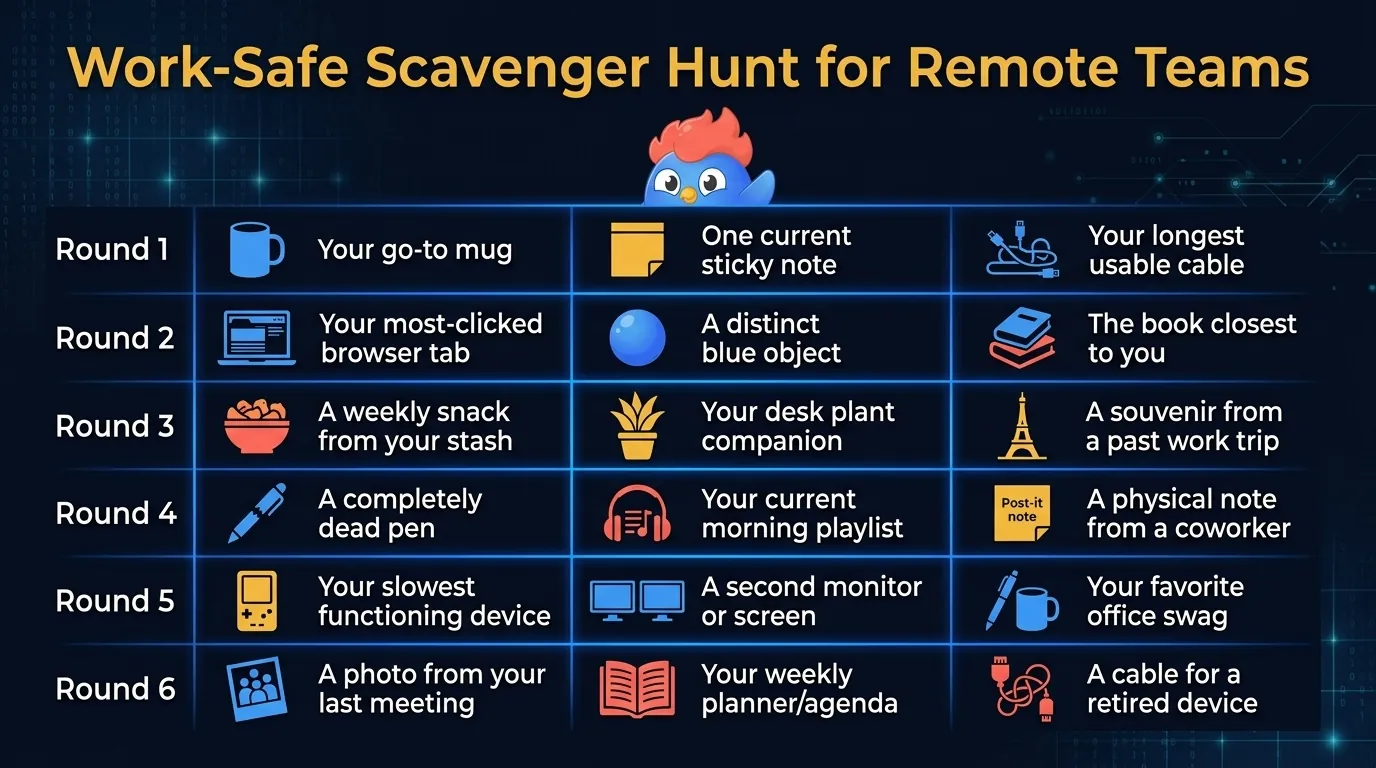
Use this 18-prompt work-safe list for a 30-minute meeting block:
| Round | Prompt | Why it works |
|---|---|---|
| 1.1 | Show your work mug | Easy warmup, instant context |
| 1.2 | A sticky note with this week’s date | Calibrates to current work |
| 1.3 | The longest cable on your desk | Gentle weirdness |
| 2.1 | Your most-clicked tab today | Workflow reveal, no privacy risk |
| 2.2 | Something blue within reach | Movement break |
| 2.3 | The book closest to your laptop | Personal but not deep |
| 3.1 | A snack that arrived this week | Food breaks the meeting tone |
| 3.2 | Your office plant or fake plant | Inclusion of failure plants |
| 3.3 | A souvenir from any work trip | Shared travel context |
| 4.1 | A pen that no longer works | Universal grievance |
| 4.2 | Your morning playlist | Music reveals personality safely |
| 4.3 | A note from a coworker | Builds team thread |
| 5.1 | The slowest device you own | Tech humor |
| 5.2 | A second monitor or improvised one | Setup reveal |
| 5.3 | A piece of office swag | Brand context |
| 6.1 | A photo of where you took your last meeting | Movement narrative |
| 6.2 | A planner or notebook with this month visible | Soft accountability |
| 6.3 | A cable from a device you no longer own | Bonus humor round |
Scoring: 1 point per item shown in 60 seconds, 2 points per item that gets a story, and 3 points if the team uses the prompt’s photo as a Slack reaction by Friday. That third rule is the one that keeps the game alive after the call ends.
Gallup’s 2025 remote-work research named the paradox plainly: fully remote workers reported 31% engagement, higher than hybrid and on-site groups, yet only 36% said they were thriving in life.
For teams across time zones, run the async version next to the 17 virtual team building games ranked for camera-load and replay value. For broader workplace prompts that pair with the scoring rules above, see the team-building trivia question bank.
Virtual Scavenger Hunt for Adults
Adults do not need to be told where the mug is. What they need is a reason to talk, so the prompts below trade the desk sprint for a 1-minute confession: nostalgia, harmless embarrassment, the odd small revelation.
Use this list for friends, dinner-party Zoom rounds, or virtual game nights. Keep teams to 4 and set a 5-minute timer per round.
12 prompts that produce stories
- The oldest piece of clothing you still wear in public
- The most expensive thing you bought before turning 25
- A book you lied about having read
- Your most embarrassing browser tab right now
- A photo from your worst haircut
- A handwritten note from someone you no longer talk to
- The most niche subscription you pay for
- The kitchen tool you bought thinking you’d use it weekly
- A souvenir from a place you cannot find on a map without help
- The most useless gift you kept anyway
- A receipt from longer than 3 years ago
- Something in your home that nobody else would understand the meaning of
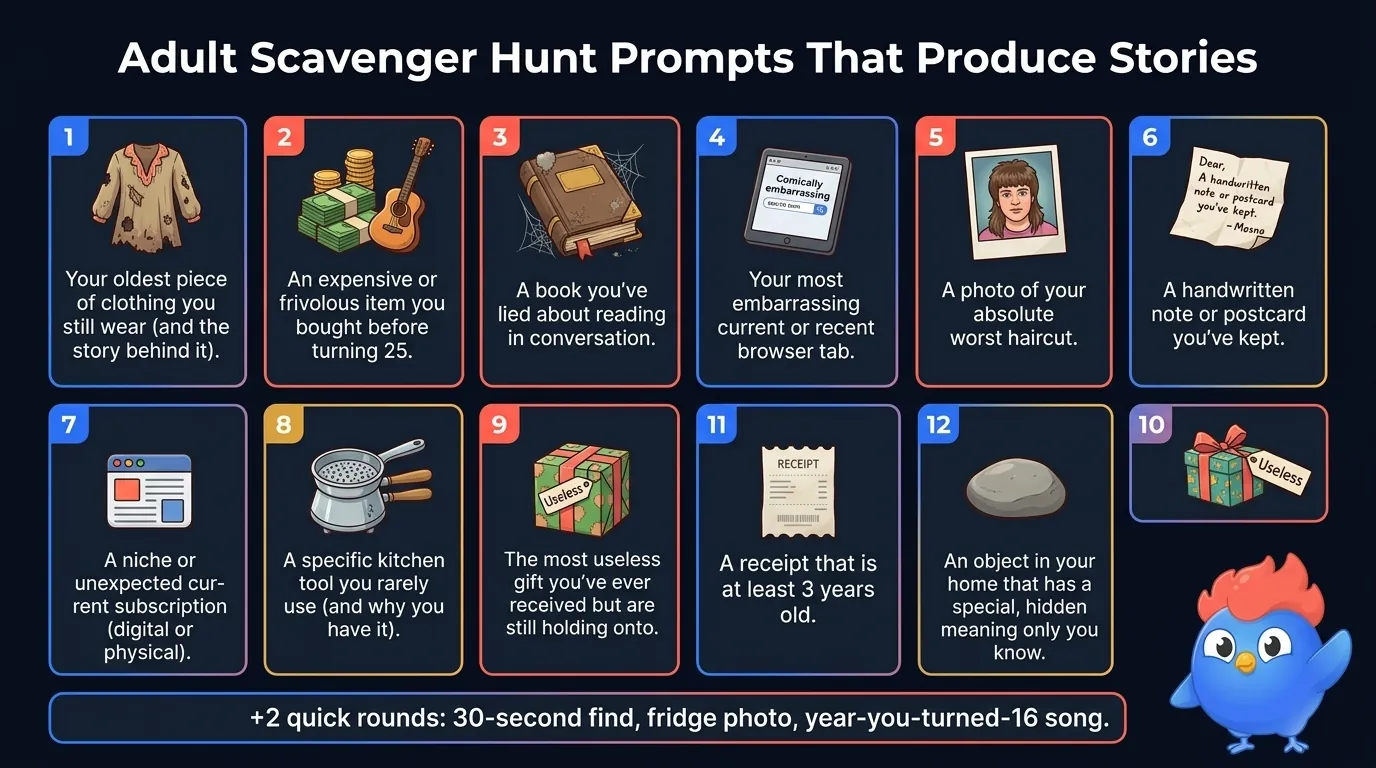 Twelve prompts built to produce a story rather than a sprint.
Funny twist rounds
After the main 12, add a few quick rounds to keep the energy:
- 30-second find: hold up the closest object older than the youngest player
- Fridge photo: send a phone photo of your fridge contents in 30 seconds
- Year-16 song: play 5 seconds of the song that defined the year you turned 16
The adult version works because it grants permission to mock the past. Workplace icebreakers almost never get to do that; a late-night game with friends does.
Two rules keep the night on the right side of funny. Jokes aim at the past, never at the person in the tile. And anyone can pass any prompt with zero explanation, because without that exit the game tips from funny into confession theater.
Pair the adult prompts with 211 this-or-that questions for the rounds where physical items run out, or use a would-you-rather round when the room needs sharper opinions.
Virtual Scavenger Hunt for Kids
The hardest age in a remote scavenger hunt is 5 to 7, because a kid that age needs an adult to read the prompt and verify the find. That is why the lists below are split by age band, and why a safe default is 5-minute rounds of 3 items each, all within arm’s reach. Push a round past 10 minutes and the attention drains out of the call.
Ages 5 to 7 (15 simple-object prompts)
- Something blue
- A toy with eyes
- A book with a number on the cover
- Something that smells nice
- A spoon
- Something you wear in winter
- A plant
- Something round
- A picture of family
- A toy that makes a sound
- Something cold
- A pillow
- Something small enough to hide in your hand
- A piece of fruit
- Something striped
Ages 8 to 10 (12 light-reasoning prompts)
- Something you can fit inside something else
- A book that is older than you
- The remote control for a device that is no longer in the house
- Something with words in another language
- A coin from another country
- Something with the number 7 on it
- A photo printed on paper
- A toy that takes batteries
- A piece of school work you are proud of
- The smallest book you own
- Something handmade by someone you know
- A souvenir from a trip
Ages 11+ (10 story-friendly prompts)
- A book you secretly liked
- The first piece of art you made that you still keep
- A device you have outgrown but cannot throw out
- A piece of writing you wrote before you turned 10
- A photo of you with your best friend at age 8
- A toy you would still play with if no one was watching
- The most valuable thing in your room (not money)
- A song that played at every birthday before you turned 12
- Something that belonged to a family member who is no longer in your house
- A note you wrote to a future version of yourself
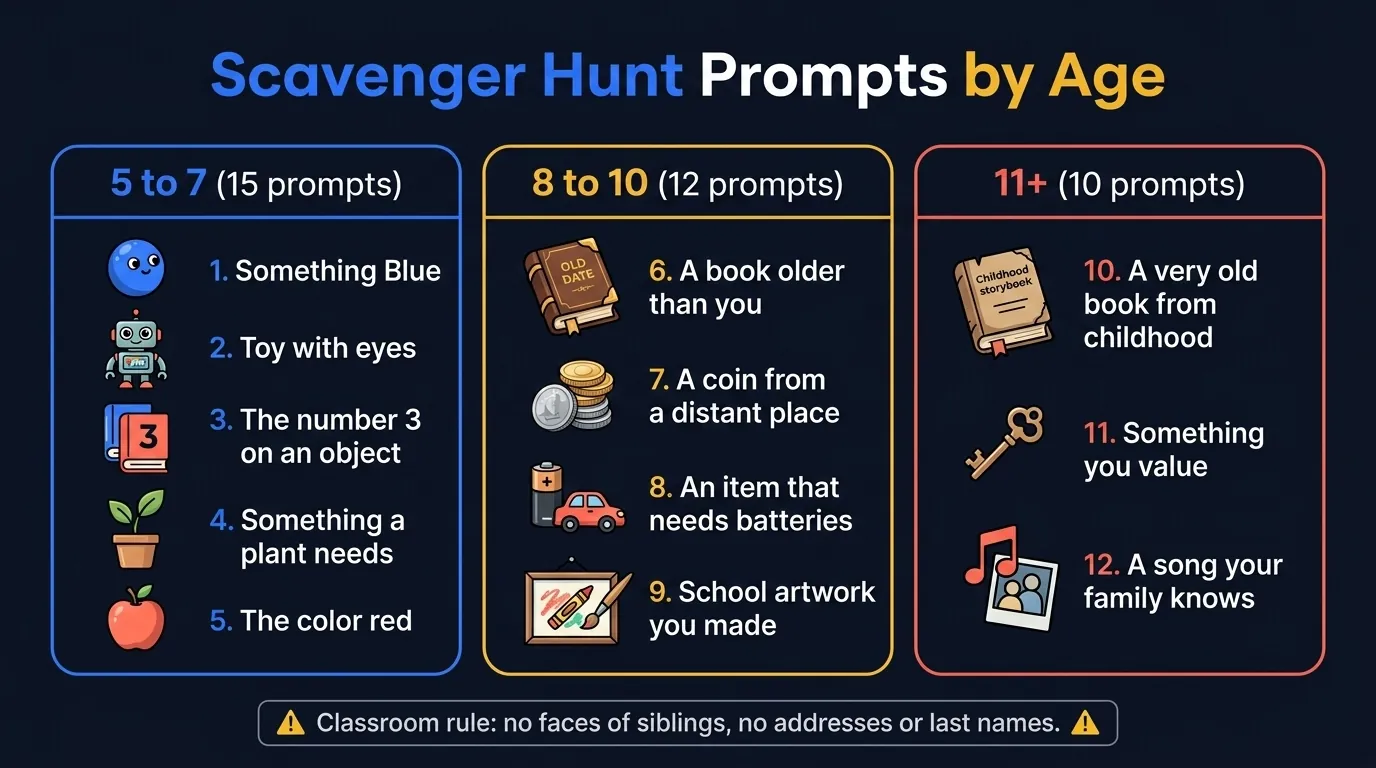
For classrooms, run with parental sharing rules: items must be neutral, no photos of siblings without consent, no addresses or last names visible. For follow-up rounds in a school context, our trivia questions for kids guide maps difficulty by age band the same way, and road-trip trivia rounds cover the car-time version of the same hunt.
How to Run a Zoom Scavenger Hunt (Setup + Rules)
Set the room up before you set up the list. Five minutes of host prep decides whether the first round lands or stalls, and the prep is short: gallery view, a 30-second per-prompt timer, and one host calling the rounds. Six rounds of 3 prompts at 30 seconds each is a 9-minute live block, plus a little scoring talk between rounds.
Pre-meeting checklist
- Pick 18 prompts, split into 6 rounds of 3
- Switch to gallery view so every player stays visible on one screen
- Mute everyone by default, let players unmute on their turn
- Open a notes doc or chat tab for live scoring
- Pick a 30-second timer (phone, browser, or Zoom plugin)
- Test mic and camera before guests arrive
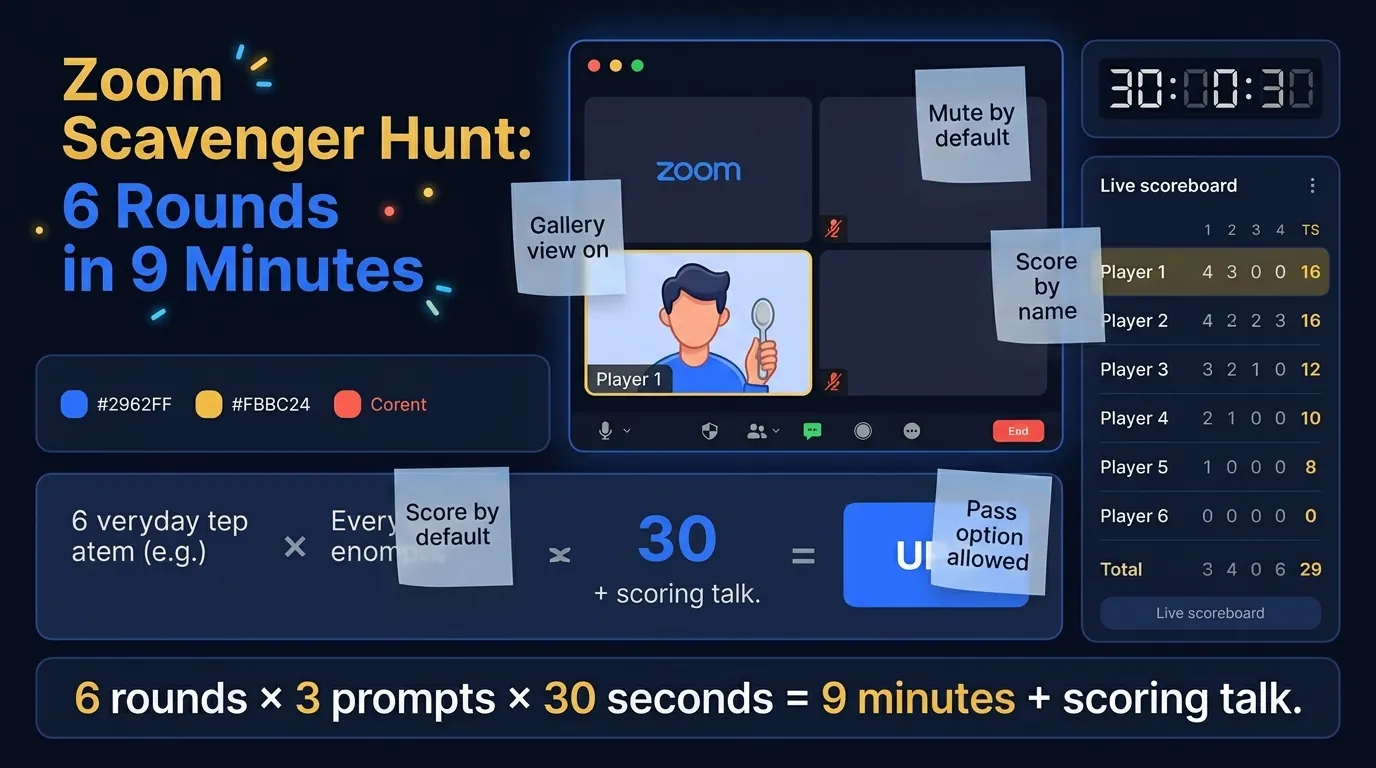 What the host’s screen looks like once the checklist is done: 4 tiles, a visible clock, and the score in the sidebar.
Rules to read at the start (60 seconds)
- 3 prompts per round, 30 seconds each
- Hold the item to camera to score
- Pass option anytime, no explaining
- One point per item shown in time
- Bonus point for the funniest version of the same item
- Host scores out loud at the end of each round
Rule 6 does the structural work. Scoring out loud puts a name next to every point, which is the individual attribution the Ringelmann section was about.
Common Zoom failure modes (and the fix)
| Failure mode | Why it happens | Fix |
|---|---|---|
| One player dominates | Eager teammate answers everyone’s prompt | Round-robin: only the named player can answer |
| Lag eats the timer | Camera latency makes “first to camera” unfair | Shift to “all players show, host scores all who made it” |
| Quiet players hide | No accountability for the silent | Direct call by name in round 4 onwards |
| Host runs the timer poorly | Manual timing drifts | Use a visible browser-tab timer all players can see |
More than 12 people on the call? Skip the single live room. Split into breakout rooms of 4, run the same prompts on the same timer in each, and have the host pop in to score one round per room. Then collapse everyone for the final 2 rounds together.
For browser-based options, Goosechase and Scavify handle multi-team scoring and photo checks for you, and both scale past Zoom once you’re north of 20 players. For a plain 4 to 8-person team meeting, Zoom plus a printed prompt list keeps friction low.
Virtual Holiday Scavenger Hunt Ideas
Holiday hunts keep the engine and swap the fuel: the 6-round structure stays, the prompts go seasonal. There are five packs below: Christmas, Halloween, Valentine’s, Easter, and 4th of July, each with 8 prompts, 5-minute rounds, and the same individual-scoring rule.
Christmas (8 prompts)
- An ornament with a story behind it
- A holiday card from this year
- The oldest decoration in the house
- A red and a green item that match
- Wrapping paper from any year
- A holiday playlist on your phone
- A holiday photo from your childhood
- A gift you received and will not use
Halloween (8 prompts)
- The scariest book you own
- A candle (any candle counts)
- Something orange or black
- A photo from a past costume
- A skull, real or fake
- The weirdest food in your kitchen
- A hat that could pass as costume
- A jack-o-lantern, real, paper, or LED
Valentine’s Day (8 prompts)
- A card from a partner, friend, or pet
- Something heart-shaped
- A photo from a first date
- A piece of chocolate
- A song that defined a relationship
- A flower (real, fake, or pressed)
- A handwritten love note
- The most romantic item in your kitchen
Easter (8 prompts)
- A pastel-colored item
- Anything egg-shaped
- A piece of childhood Easter art
- A spring photo
- Something fluffy
- A bunny (toy, photo, or sticker)
- A spring jacket
- A basket
4th of July (8 prompts)
- Something red, white, and blue together
- A photo from a summer cookout
- A grill tool
- A pair of sunglasses
- A flag
- A piece of summer clothing
- A photo of fireworks
- A picnic blanket
Pair holiday hunts with a holiday icebreaker round for teams that need warmup before the timer starts.
Why Most Virtual Scavenger Hunts Fail (and What I’d Change)
When a virtual scavenger hunt flops, the prompt list usually gets the blame, and the prompt list is usually innocent. The team was too big, the scoring was invisible, or every prompt was a fetch quest. Each of those is a rules problem, and each has a rules fix.
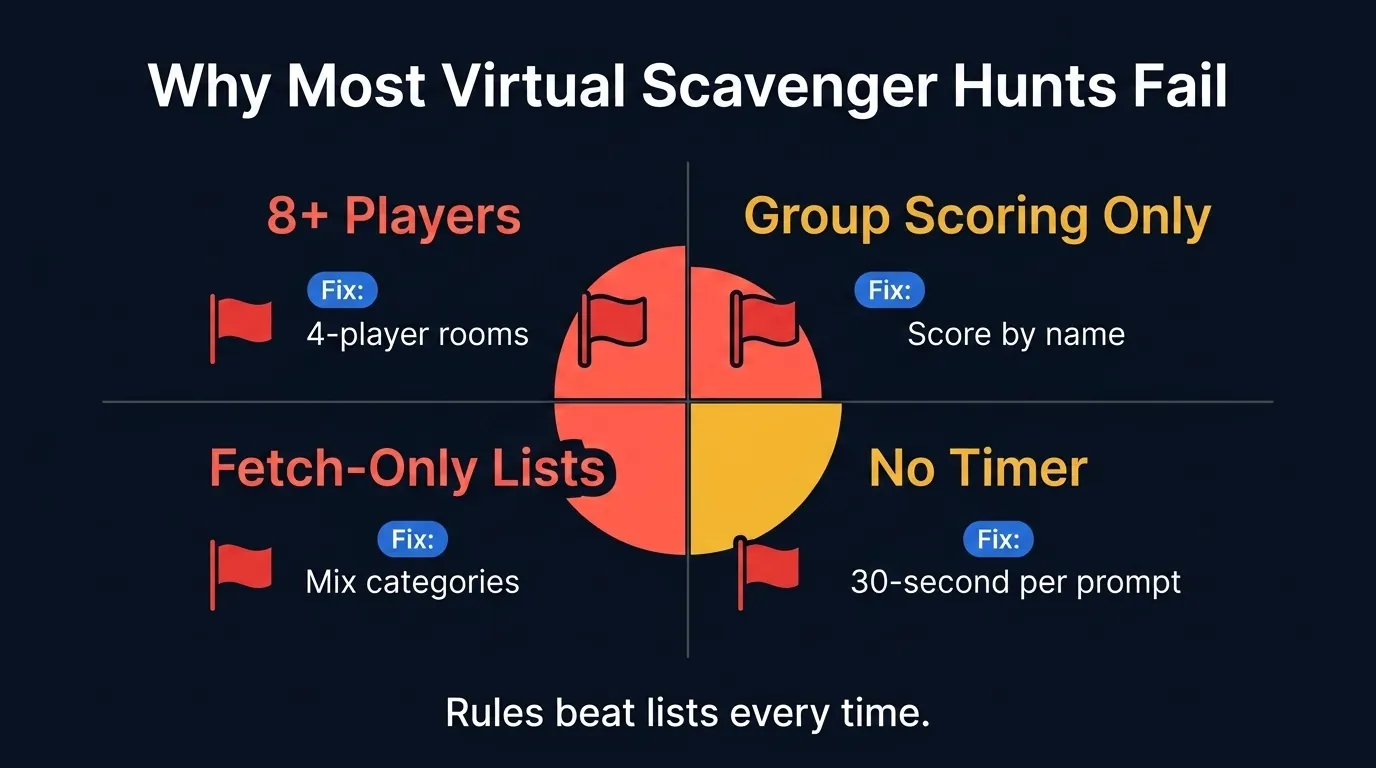 The four failure modes usually arrive together. Fix the rules first, then the prompts.
Failure mode 1: 8+ players in one Zoom
Back to the Ringelmann math. Eight players means roughly 49% per-person effort. Split them into breakout rooms of 4 running the same prompts and the effort climbs back up. Cap teams at 4 to 5.
Failure mode 2: Group scoring only
Score the team as a unit and the slacker disappears. The harder worker carries the round, and both of them leave the call vaguely annoyed. Read individual scores by name at the end of each round.
Failure mode 3: Fetch-only lists
A list of 25 objects to go fetch is errands, not a game. By round 3, everyone’s on auto-pilot. Mix in 4 categories: home objects, personal items, view-based finds, and small tasks. Photo prompts that make people get up (selfie with pet, handstand, recreate an album cover) yank attention right back to the screen.
Failure mode 4: No time pressure
Drop the per-round timer and your 30-minute scavenger hunt becomes a stroll while players wander off to email. Set a 30 to 60-second per-prompt timer that everyone can see. The same visible clock does a lot of the work in a competitive quiz format, too. A LearnClash duel question gives you 45 seconds, one constant in the app’s timing code as of August 2026, and the countdown is on screen the whole time.
The rematch half is where I’ll admit a bias, because I have the data. On 2026-07-27 I exported first-encounter duel answers from LearnClash production to build our misconception index. Of the 2,902 questions with enough first-time answers to measure, 21 had a wrong answer beating the right one on players’ first try.
Take the question with the largest first-try sample in that export, 103 answers: what was Cleopatra’s native tongue? A quarter of LearnClash players said Egyptian; the answer is Greek, because her Ptolemaic dynasty ruled Egypt for centuries without learning the local language. A live scavenger hunt never exposes a miss like that, because there is no wrong answer to hold up to the camera.
An async 1v1 duel surfaces it on every turn, and a missed question comes back later through a 3-stage spaced-repetition cycle, which is the part a one-off game night cannot do.
Match the Format to the Room
Short rounds, 4-player teams, name-by-name scoring out loud, and a clean stopping point. The format around that core depends on the room, and the decision tree below covers the five rooms this guide was written for.
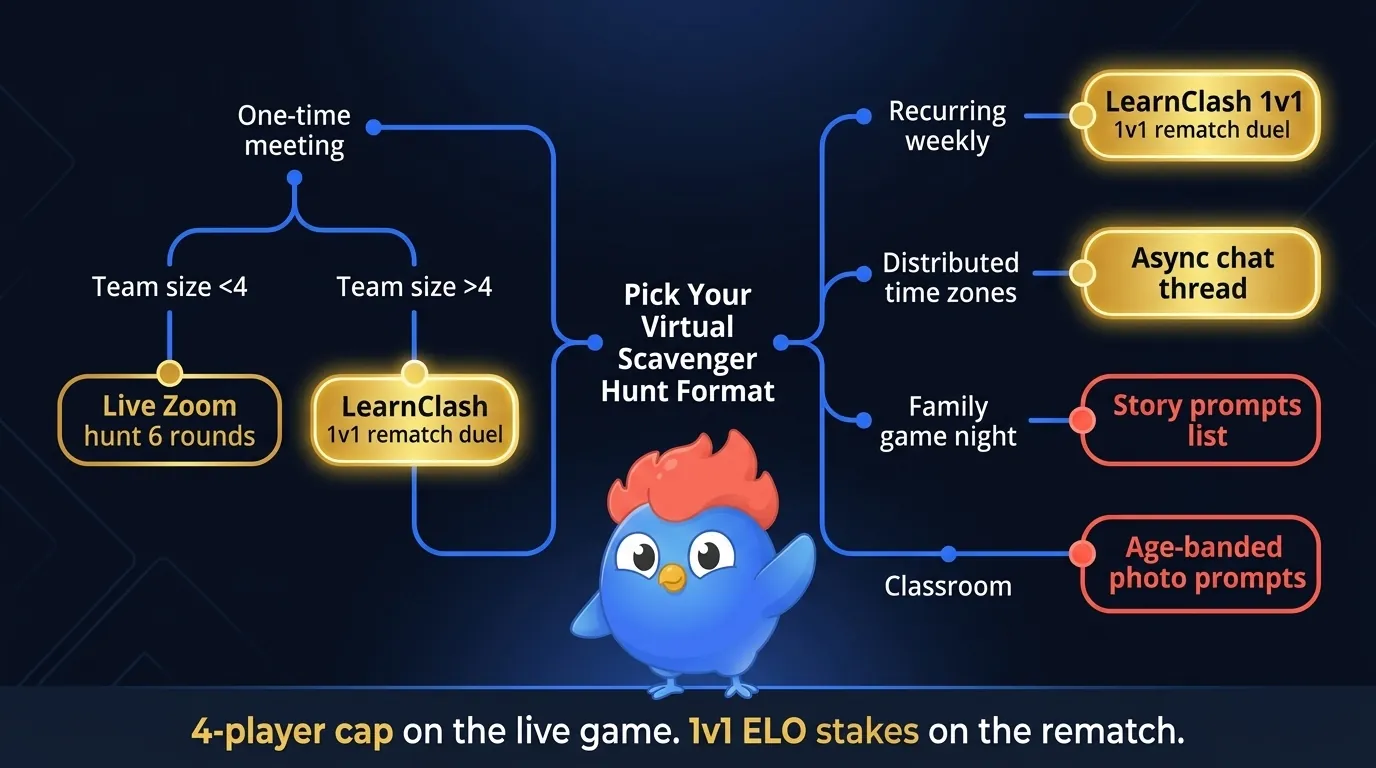
Two rules on this page are easy to skip and worth keeping. Past 12 people, split into breakout rooms of 4 rather than adding a seventh round to the big call. And pin one photo per round into the team channel, because that is where the game keeps paying off after the meeting ends. The activities hub has more formats, and the rematch is one button away.
Frequently Asked Questions
How do you do a virtual scavenger hunt on Zoom?
Pick a 12 to 20-prompt list, set a 30-second per-prompt timer, and use Zoom gallery view so each player can hold the item to camera. Cap teams at 4 players and read scores by name at the end of each round.
What items should be on a virtual scavenger hunt list?
Mix four categories: home-office objects (mug, sticky note, charger), personal items (childhood photo, ticket stub), prompts that need a small task (selfie with pet, handstand), and time-bound finds (oldest book, view from window). Mixed-category lists hold engagement deep into the game, where fetch-only lists fade fast after the first few rounds.
How long should a virtual scavenger hunt take?
Plan 15 to 30 minutes for a 12 to 20-prompt list, or 5 to 10 minutes per round if you split into 6 rounds. Rounds keep the pace visible and give the host natural scoring breaks.
What is a good team size for a virtual scavenger hunt?
Four players. Ringelmann's rope-pull data, published in 1913, found per-person effort drops 51% in 8-person teams, so individual accountability gets diluted past 4 to 5 players. After the live game, two teammates can settle the rematch in a rated 1v1 LearnClash duel.
Are virtual scavenger hunts good for team building?
Yes, when individual scoring is visible and the team is 4 to 5 players. The failure mode is the big anonymous room: Ringelmann's group-effort research shows per-person effort collapsing as team size grows, so small teams with name-by-name scoring keep everyone in the game.